








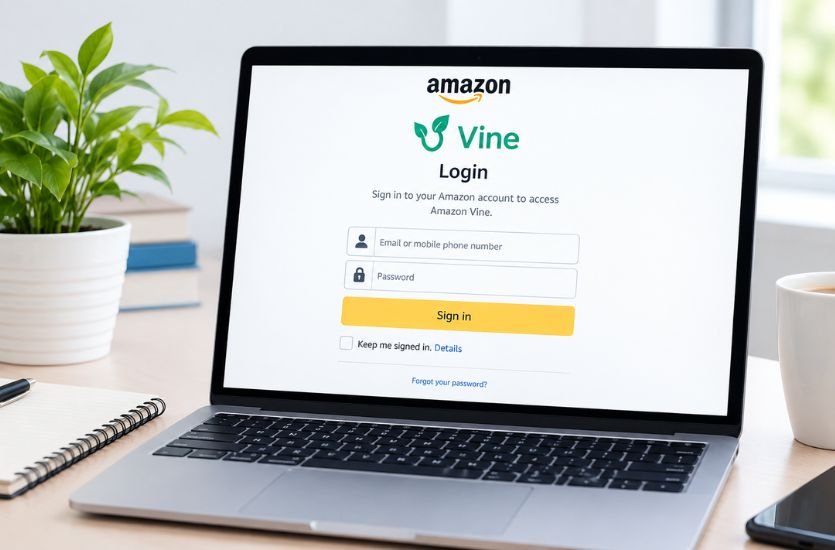
Amazon Vine is a review program designed to connect selected Amazon customers with products that need authentic customer feedback. Because Vine is invitation-based, many users searching for Amazon Vine Login are not sure how to access the program, whether they need a separate account, or what to do when the Vine page does not appear after signing into Amazon.
Understanding how Amazon Vine Login works can make the process much easier. Vine Voices generally use their existing Amazon account rather than creating a separate username and password specifically for Vine. However, simply having an Amazon account does not provide access to Vine. Participation depends on receiving an invitation and meeting Amazon’s applicable requirements.
Quick Answer: What Is Amazon Vine Login?
Amazon Vine Login refers to accessing the Amazon Vine program through the Amazon account associated with an eligible Vine invitation. Vine Voices normally sign in using their regular Amazon account credentials, while eligible sellers access Vine through Seller Central. If Vine does not appear for a customer, the account may not have been invited or may have an access-related issue.
What Is Amazon Vine?
Amazon Vine is an invitation-only program in which selected customers, known as Vine Voices, provide reviews of products available through the program. The purpose is to give shoppers useful feedback based on genuine product experiences while giving participating sellers an opportunity to receive customer reviews.
The program is different from ordinary Amazon product reviewing. Not every Amazon customer can automatically join Vine, and users cannot simply create a Vine account whenever they want. Amazon determines who is invited to participate.
Vine Voices can select eligible products made available to them through the program and are expected to provide honest and unbiased opinions. The exact products, availability, program conditions, and participation requirements can vary by marketplace and may change over time.
How Amazon Vine Login Works
One of the most important things to understand about Amazon Vine Login is that Vine is connected to the user’s Amazon account. A Vine Voice generally does not need a completely separate Vine password.
When an invited customer signs into the Amazon account connected with Vine participation, Amazon can recognize the account’s eligibility and provide access to the relevant Vine experience. This means that using the correct Amazon account is particularly important for people who have more than one Amazon account.
The login process can also involve Amazon’s normal security protections. Depending on the account and circumstances, Amazon may request additional verification, such as a security code or another authentication step.
Once authentication is complete, an eligible Vine Voice should be able to access the Vine area associated with their account.
How to Sign In to Amazon Vine
The first step is to use the Amazon account that received the Vine invitation. If you have multiple Amazon accounts, signing into a different account may make it appear as though Vine access is unavailable.
Enter the email address or mobile number associated with the Amazon account and provide the account password. If Amazon requests additional verification, complete the security process before continuing.
After successful authentication, an invited Vine Voice can access the Vine section associated with the account. The available dashboard and product selection experience may differ depending on the marketplace and current Amazon Vine interface.
If the account signs into Amazon normally but Vine remains unavailable, this does not necessarily mean that the password is incorrect. It may indicate that the account does not have Vine eligibility or that there is a separate account or technical issue.
Do You Need a Separate Amazon Vine Account?
In most cases, no separate Vine login credentials are required for Vine Voices. Amazon Vine participation is connected to an existing Amazon customer account.
This distinction is important because some websites and online discussions can make Vine sound like a completely separate service with its own registration system. Users should be cautious about any website claiming that they must create a special Vine username and password outside the normal Amazon account system.
A customer should also avoid giving Amazon account credentials to unfamiliar websites that promise Vine invitations or instant Vine membership.
Who Can Access Amazon Vine?
Amazon Vine is not an open registration program. Amazon invites selected customers to participate based on factors such as the usefulness and insightfulness of their previous reviews and other program considerations.
Having a long-standing Amazon account does not guarantee an invitation. Similarly, purchasing many products does not automatically make someone a Vine Voice.
The quality of customer reviews is an important part of the program. Amazon’s goal is to provide shoppers with useful information, so review activity and the perceived helpfulness of previous reviews can influence Vine selection.
Because Amazon controls invitations, there is no legitimate universal method that guarantees a customer will become a Vine Voice.
Amazon Vine Login for Vine Voices
For Vine Voices, the login experience is primarily connected to their customer Amazon account. Once an account has been invited and remains eligible, signing into the associated Amazon account allows the user to access the Vine program.
The Vine dashboard can provide access to products available through the program, along with information related to selected items and reviewing activity. Amazon can change the design and features of the Vine interface, so users may notice differences between marketplaces or over time.
Vine Voices should also remember that joining the program comes with responsibilities. Reviews should reflect genuine experiences and should follow Amazon’s applicable community and Vine requirements.
Amazon Vine Login for Sellers
Amazon Vine is also relevant to sellers, but seller access is different from the customer Vine Voice experience.
Eligible sellers can access Vine through Amazon Seller Central. Seller participation is subject to Amazon’s requirements, which can include having a Professional selling account, meeting applicable brand requirements, and having eligible products and listings.
For sellers, Vine is primarily a tool for obtaining authentic customer feedback on eligible products. The seller does not log in through the same route as a Vine Voice simply to browse products available to reviewers.
Understanding this distinction helps prevent confusion when searching for Amazon Vine Login. A customer looking for Vine Voice access and a seller looking for the Vine selling program may need to use different areas of Amazon.
Why Is Amazon Vine Login Not Working?
There are several possible reasons why someone may have difficulty accessing Amazon Vine. The most common explanation for a new user is that the Amazon account has not received a Vine invitation.
Another possibility is that the user is signed into the wrong Amazon account. This can happen when someone has separate accounts for different marketplaces, personal use, or other purposes.
Temporary browser problems can also interfere with Amazon pages. An outdated browser session, corrupted cookies, cached information, or an interrupted authentication process can sometimes cause unexpected behavior.
Account security verification can create another point of difficulty. If Amazon requests a verification code and the user cannot complete the verification process, access may not proceed normally.
In some situations, Vine access can also be affected by program eligibility, account status, marketplace differences, or changes to Amazon’s systems.
How to Troubleshoot Amazon Vine Login Problems
Start by confirming that you are using the Amazon account associated with your Vine invitation. This is especially important if you have multiple Amazon accounts.
Next, sign out of Amazon and sign in again using the correct credentials. Completing any requested security verification can help ensure that the authentication process has finished correctly.
If the problem appears to be browser-related, try using an up-to-date browser or a private browsing window. Clearing Amazon-related cookies and cached data may also help when an old session is interfering with the page.
If the issue continues across different browsers or devices, the problem may not be local to your device. At that point, checking your Amazon account status and using Amazon’s official customer or seller support channels, depending on your role, is more appropriate than repeatedly attempting to log in.
Users should not attempt to bypass Amazon’s authentication or account restrictions through unofficial services.
Amazon Vine Login and Multiple Amazon Accounts
Multiple Amazon accounts can create confusion when accessing Vine. A user might successfully sign into Amazon but still not see Vine because the account currently being used is not the one associated with the invitation.
The best approach is to identify the account that received the original Vine invitation and use that account for Vine participation.
Users should also be careful when switching between Amazon marketplaces. Amazon operates across different regional websites, and Vine availability and conditions can vary between marketplaces.
An account that works for ordinary Amazon shopping in one region should not automatically be assumed to have Vine access in another marketplace.
Is Amazon Vine Login Safe?
Amazon Vine Login is safest when users authenticate through Amazon’s own services rather than through third-party websites.
Scammers can sometimes use popular program names to create fake login pages. A fraudulent page may imitate Amazon’s branding and request an email address, password, payment information, or other personal details.
Users should be suspicious of websites promising guaranteed Vine invitations, paid Vine memberships, special activation codes, or instant access. Amazon Vine is invitation-based, so claims that anyone can purchase guaranteed membership should be treated carefully.
Never provide an Amazon password to an unfamiliar website simply because it contains the words “Amazon Vine” in its name.
What Happens After Amazon Vine Login?
After a successful Vine login, an eligible Vine Voice can use the program’s available features according to the current Amazon interface and participation rules.
One of the primary activities is browsing products offered through Vine and selecting items that are available to the reviewer. After receiving a product, the Vine Voice can provide a review based on their actual experience.
The purpose of these reviews is to help other shoppers understand the product more clearly. For that reason, reviews should be truthful, independent, and based on genuine use rather than written simply to satisfy a seller.
The products and opportunities shown to one Vine Voice may differ from those available to another. Inventory changes continuously, and product availability can depend on marketplace, demand, and other factors.
Amazon Vine Reviews and Reviewer Responsibilities
Access to Vine does not mean that every review will be positive. Vine Voices are expected to provide honest opinions, including criticism when a product does not meet expectations.
A useful review can discuss product quality, functionality, ease of use, design, durability, value, and other characteristics that are relevant to the customer’s experience.
Vine reviewers should avoid making unsupported claims or allowing outside pressure to determine their opinions. The value of the program depends on customers being able to trust the feedback they read.
Amazon may also require specific disclosure or labeling for Vine reviews so that shoppers understand that the reviewer received the product through the program.
Can Anyone Create an Amazon Vine Account?
No. Amazon Vine is not generally available through ordinary public registration.
A customer can have a normal Amazon account and still have no Vine access. Participation requires an invitation from Amazon and continued compliance with applicable requirements.
This is one of the most important points for people searching for Amazon Vine Login. A login page alone does not provide membership. The account must already have the appropriate Vine eligibility.
Anyone offering to sell an Amazon Vine invitation should therefore be approached with caution.
Amazon Vine Login: Common Questions
Is Amazon Vine Login the Same as Amazon Login?
Vine Voice access is connected to the user’s Amazon account, so the same underlying Amazon credentials are generally used rather than a separate Vine password.
Why Can I Log Into Amazon but Not Amazon Vine?
Successful Amazon authentication does not automatically mean that the account has Vine access. The account may not have received an invitation, may be associated with a different marketplace, or may have another eligibility or account issue.
Can I Register for Amazon Vine?
Amazon Vine is invitation-only. Customers cannot normally create Vine membership simply by submitting a public registration form.
Do Sellers and Reviewers Use the Same Vine Login?
No. Vine Voices use their eligible Amazon customer accounts, while participating sellers access Vine through Seller Central when they meet Amazon’s requirements.
Does Amazon Vine Cost Money to Join?
There is no legitimate requirement to pay an unknown third party for a guaranteed Vine invitation. Users should be cautious of websites requesting payment in exchange for Vine membership or login access.
What Should I Do If My Vine Dashboard Is Missing?
First confirm that you are signed into the Amazon account associated with your Vine participation. Then check for browser or authentication problems. If the problem persists, use Amazon’s official support options appropriate to your account type.
Final Thoughts on Amazon Vine Login
Amazon Vine Login is primarily an access point to an invitation-only review program rather than a separate account-registration service. Vine Voices normally use their existing Amazon accounts, while sellers access the program through Seller Central when they meet the applicable requirements.
The most important step is making sure the correct Amazon account is being used. If login problems continue, users should consider account eligibility, marketplace differences, browser issues, and Amazon’s security verification process.
Because Vine participation is controlled by Amazon, users should also avoid websites promising guaranteed invitations or asking for Amazon credentials outside Amazon’s normal authentication process. Understanding the difference between ordinary Amazon access, Vine Voice access, and seller access can make the entire Amazon Vine Login process much clearer.