









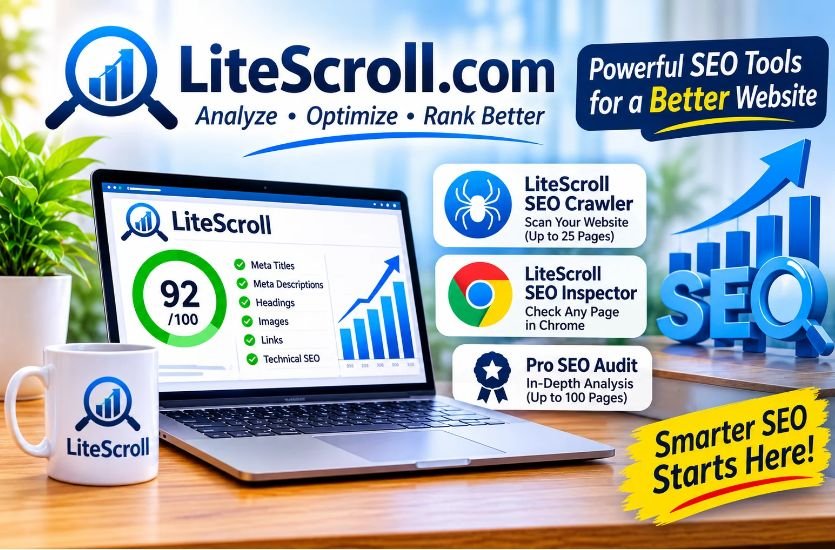
The growing importance of search engine optimization has encouraged website owners, bloggers, and digital marketers to look for practical tools that can help improve their websites. From checking page titles to identifying technical errors, SEO analysis has become an important part of managing an online presence. LiteScroll.com is a website that focuses on making these tasks easier through accessible SEO tools, website crawling, and individual page inspections. Its services are designed to help users identify common optimization problems without relying entirely on complicated SEO software.
LiteScroll.com brings together website auditing and browser-based inspection features to provide a straightforward approach to analyzing website performance. Its main offerings include LiteScroll SEO Crawler and LiteScroll SEO Inspector, which serve different purposes within an SEO workflow. The crawler examines multiple website pages, while the browser extension allows users to inspect individual pages and review important SEO elements. The platform also provides an option to request a more detailed SEO audit for websites that require additional analysis.
For beginners, freelancers, content creators, and small businesses, understanding how these tools work can make website optimization more manageable. However, choosing an SEO platform also requires looking at its features, limitations, pricing, and practical applications. LiteScroll.com offers a combination of free tools and additional audit services that deserves a closer look.
Quick Profile of LiteScroll.com
| Detail | Information |
|---|---|
| Website Name | LiteScroll |
| Official Domain | litescroll.com |
| Industry | SEO and Digital Technology |
| Main Services | Website SEO Auditing and Page Inspection |
| Main Tools | LiteScroll SEO Crawler and SEO Inspector |
| Browser Support | Google Chrome extension |
| Free Crawler Limit | Up to 25 pages per scan |
| Additional Service | LiteScroll Pro SEO Audit |
| Pro Audit Scope | Up to 100 pages through a request-based process |
| Target Audience | Bloggers, freelancers, businesses, and SEO professionals |
| Business Model | Free tools and custom audit requests |
What Is LiteScroll.com?
LiteScroll.com is an online platform that provides SEO-related tools for examining websites and identifying common optimization issues. Its primary purpose is to make website analysis more accessible to people who want to understand their pages without navigating complicated software interfaces.
Search engine optimization involves several elements, including content structure, metadata, internal linking, image descriptions, and technical accessibility. When these elements are not properly managed, search engines may have difficulty understanding or accessing certain pages. LiteScroll provides tools that help users review some of these important signals.
The platform focuses on two main products. LiteScroll SEO Crawler is intended for website-wide inspections, while LiteScroll SEO Inspector is designed for examining the individual webpage currently open in Chrome. Together, these tools offer a basic workflow for discovering potential problems and reviewing important page-level information.
Another feature is the request-based LiteScroll Pro SEO Audit, which is intended for users who need a more detailed examination of a larger website. This gives users an option beyond the standard free tools.
Rather than positioning itself as an all-in-one marketing platform, LiteScroll focuses on practical SEO inspection and reporting. Its approach is particularly relevant to website owners who want to identify common technical and on-page issues before deciding how to address them.
Understanding LiteScroll SEO Crawler
The LiteScroll SEO Crawler is one of the platform’s main tools. It is designed to scan accessible website pages and identify common SEO problems through an automated process. Instead of opening every page individually, users can submit a website address and allow the crawler to examine multiple pages. Understanding how Google Search discovers, crawls, and indexes webpages also helps website owners recognize the importance of technical accessibility.
The free version supports up to 25 pages per scan. This limit makes it suitable for smaller websites, personal blogs, landing pages, and basic business websites. Users managing larger websites may need a more extensive audit.
One important function is checking meta titles. Page titles help describe the subject of individual webpages and provide search engines and visitors with useful information. Missing, excessively long, short, or duplicated titles can make a website’s structure less consistent. The crawler helps identify these situations so website owners can review their content.
Meta descriptions are another important area. Although they do not guarantee higher search rankings, they provide summaries that may appear in search results. A missing or poorly written description can make a page less informative to potential visitors. LiteScroll helps users identify pages that may need improvements.
The crawler also reviews heading structures, including H1 and other heading elements. Proper headings organize information and make articles easier to read. Websites with missing headings, empty heading elements, or inconsistent structures may benefit from reviewing these warnings.
Canonical URLs and indexability signals are also included in its advertised checks. These elements help website owners understand how pages identify preferred URLs and whether certain indexing restrictions are present.
Image alt attributes, internal links, and other page-level signals are additional areas covered by the crawler. After scanning, users can review available results and export reports for further examination.
LiteScroll SEO Inspector and Its Chrome Extension
Another important offering is LiteScroll SEO Inspector, a browser extension designed for checking individual webpages directly inside Google Chrome. It provides a convenient alternative to repeatedly entering page addresses into separate SEO analysis tools.
The extension focuses on page-level inspection. Users can open a website, activate the extension, and examine different SEO elements associated with that page. This can be useful when reviewing blog posts, business pages, product descriptions, and other important website content.
One of its main features is metadata inspection. Users can review the title tag, meta description, and their character lengths. This information helps identify missing or potentially unsuitable metadata that might require editing.
Heading analysis is another useful feature. The extension can display H1 through H6 headings and provides an option to copy the heading structure. Content writers and SEO professionals can use this information when reviewing article organization or comparing the structure of different pages.
The extension also examines internal and external links, nofollow attributes, canonical information, and indexability signals. These details help users understand how a webpage is organized and connected to other resources.
Image analysis is included as well. The extension can identify images with missing alt attributes and review certain image-loading and dimension-related signals. This information is useful for improving image descriptions and identifying basic optimization opportunities.
Schema markup and social metadata are additional inspection areas. Users can examine structured data, Open Graph information, and Twitter/X card tags. These elements can help website owners understand how their pages communicate information to search engines and social platforms.
Another practical feature is keyword usage checking. Users can enter a target keyword and review whether it appears in important areas such as the page title, description, headings, and content.
The extension also provides copying and exporting options, including JSON and HTML/PDF-style reports. These features can make it easier to save information and share findings during website reviews.
One important consideration is its installation method. According to the official download instructions, LiteScroll SEO Inspector is distributed as a ZIP file that users manually install through Chrome Developer Mode rather than through the Chrome Web Store. Users should verify the source and permissions before installing browser extensions.
LiteScroll.com Pricing and Available Plans
Pricing is an important consideration when choosing SEO software, particularly for bloggers, freelancers, and small businesses working with limited budgets.
LiteScroll offers free access to its primary SEO tools. The LiteScroll SEO Crawler supports scans of up to 25 pages, while the SEO Inspector extension is advertised as a free option for individual webpage analysis.
These free features provide an opportunity to explore the platform before requesting additional services. Users can examine metadata, headings, images, links, and other SEO signals without committing to a fixed monthly subscription.
For users who require more extensive analysis, LiteScroll offers a request-based service called LiteScroll Pro SEO Audit. Its advertised scope includes requests involving up to 100 pages, deeper technical and on-page reviews, and prioritized recommendations for important website improvements.
Unlike the free tools, the Pro SEO Audit does not have a publicly listed fixed price on the pricing page. Interested users need to submit a request to obtain further details.
This arrangement means that users should consider their website size and auditing requirements before deciding which option is appropriate. A small blog may find the free crawler sufficient for an initial review, while a larger business website may need additional analysis.
Overall, LiteScroll’s pricing structure provides a free starting point and an additional request-based option for more detailed website assessments.
How Does LiteScroll.com Work?
Using LiteScroll involves a relatively straightforward process. The platform separates website-wide crawling from individual page inspection, allowing users to approach SEO analysis according to their requirements.
The first step is to identify the website that needs examination. Users can submit their website address to the SEO Crawler and initiate a scan. The crawler then checks accessible pages within the available limit and gathers information about different optimization elements.
After the scan is completed, users can examine the available report. This may include information about missing titles, descriptions, heading problems, canonical tags, indexability signals, and image alt attributes. Reviewing these results helps users understand which areas may require attention.
The next step is prioritizing the identified issues. Not every warning has the same importance, and some findings may require manual verification. For example, a missing meta description may be worth correcting, while a technical warning may need further investigation before making changes.
For individual pages, users can work with LiteScroll SEO Inspector in Chrome. This makes it possible to review page-level information while editing or checking website content.
Finally, users can save or export available reports for future reference. Keeping these records can help website owners compare their findings across different audits and track whether identified problems have been addressed.
Who Should Use LiteScroll.com?
LiteScroll is designed for people who need accessible website SEO inspection tools. Its features may be useful for different types of online professionals.
Bloggers and Content Creators
Bloggers regularly publish articles that require appropriate titles, descriptions, headings, images, and internal links. Reviewing these elements before and after publication can help maintain consistent content organization.
LiteScroll provides tools for checking several of these signals. Writers can use the SEO Inspector to examine individual articles and identify possible improvements to their on-page structure.
Freelance SEO Professionals
Freelancers often work with several websites and need efficient ways to review common SEO issues. A crawler that scans multiple pages can help them gather preliminary information without manually opening every URL.
The export features may also be useful when organizing findings or preparing basic website review documents for clients.
Small Business Owners
Small businesses depend on their websites to explain services, attract potential customers, and provide important company information. Technical and on-page problems can make website management more difficult.
LiteScroll may help business owners identify common issues that deserve attention, especially when they do not have a dedicated technical SEO team.
Website Administrators
People responsible for managing WordPress websites, online publications, and business platforms can use SEO inspection tools during regular maintenance. Reviewing metadata, headings, canonical information, and image attributes can help maintain consistency across published pages.
Beginners Learning SEO
New website owners may find professional SEO platforms difficult to understand because they often contain extensive reports and advanced features. LiteScroll’s focus on common SEO checks can provide a starting point for learning about website optimization.
However, users should remember that automated reports are only one part of understanding search engine optimization.
Benefits of Using LiteScroll.com
LiteScroll offers several practical advantages for people who want to review their website’s SEO condition. Its combination of crawling and browser-based inspection makes it possible to examine websites at different levels.
Accessible Free SEO Tools
One of its main advantages is the availability of free tools. Users can access the crawler’s 25-page scanning option and the SEO Inspector extension without purchasing a standard subscription. This can be helpful for beginners and small website owners who want to explore basic SEO analysis.
Website-Wide and Individual Page Analysis
The platform provides two different approaches to website inspection. The crawler examines multiple accessible pages, while the Chrome extension focuses on the currently open webpage. This distinction allows users to identify broader website issues and investigate individual pages separately.
Practical Metadata Checks
Missing titles, duplicate titles, and weak meta descriptions are common issues that website administrators need to review. LiteScroll helps bring these problems to attention, making it easier to identify pages that may need improvements.
Convenient Heading Inspection
Reviewing heading structures manually can take time, particularly when working with long articles. The SEO Inspector’s heading-copying feature provides a quicker way to examine the organization of a webpage.
Report Export Options
Exporting information can make SEO reviews easier to organize. LiteScroll provides report-related options that allow users to save information for later reference or share findings during website maintenance and client discussions.
Useful for Routine Website Maintenance
SEO is not a one-time activity. Website owners can also follow Google’s SEO Starter Guide to understand essential optimization practices and improve how search engines understand their content. Websites change as new articles are published, existing pages are updated, and technical settings are modified. Regular inspections can help website owners notice problems that might otherwise remain overlooked.
LiteScroll can become part of this maintenance process by providing a convenient way to review common optimization signals.
Limitations of LiteScroll.com
Although LiteScroll provides several useful features, understanding its limitations is equally important. No individual SEO tool can identify every issue or guarantee that a website will perform well in search results.
One limitation is the free crawler’s page allowance. Its 25-page scanning limit may be sufficient for small websites but can be restrictive for large publications, ecommerce platforms, and websites containing hundreds or thousands of URLs.
Another consideration is that automated crawlers depend on website accessibility. Some websites use JavaScript-heavy content, login restrictions, security systems, or crawler-blocking settings. These conditions may prevent certain pages or elements from appearing in the results.
The SEO Inspector also has browser-related restrictions. Chrome extensions cannot inspect every type of browser page, and certain protected pages or restricted areas may not be accessible.
Furthermore, finding an SEO warning does not automatically mean that changing the affected element will improve rankings. Search engine performance depends on multiple factors, including content usefulness, technical accessibility, competition, website reputation, links, and user experience.
The platform also does not advertise itself as a complete replacement for advanced backlink analysis, competitor research, keyword-volume databases, or comprehensive SEO strategy services.
Users who need these capabilities may require additional specialist tools or professional analysis.
LiteScroll.com vs. Other SEO Tools
The SEO software market includes several platforms that serve different purposes. Comparing LiteScroll with established alternatives can help users understand where it fits.
Google Search Console is a free service that helps website owners monitor search performance, indexing information, and certain technical issues. Its primary purpose differs from LiteScroll’s page-inspection workflow because it provides information directly related to a website’s presence in Google Search.
Screaming Frog SEO Spider is a more specialized website crawler that provides extensive technical auditing capabilities. It is often used for larger and more detailed technical SEO projects.
Ahrefs offers broader SEO research features, including backlink analysis, keyword research, and competitor insights. These functions go beyond LiteScroll’s main focus on website crawling and page-level checks.
Semrush provides a wider collection of marketing tools, including keyword research, competitive analysis, site auditing, and content-related features.
LiteScroll takes a more focused approach. Its main purpose is to help users review common SEO elements through a free crawler and Chrome inspection extension. It may be a useful starting point for basic checks, while users with more advanced research requirements may prefer larger SEO platforms.
Readers interested in broader technology and digital marketing topics can also explore our coverage of technology and digital marketing topics. The right choice of SEO software ultimately depends on website size, technical requirements, available budget, and the level of analysis needed.
Is LiteScroll.com Safe and Legitimate?
Before using an online SEO platform, it is sensible to examine its available information, policies, and installation requirements.
LiteScroll provides website information, pricing details, terms and conditions, and a disclaimer explaining the limitations of its tools. These pages help visitors understand the intended services and the conditions associated with their use.
However, the presence of website policies alone does not independently establish a company’s identity, security standards, or the accuracy of every service it provides.
The Chrome extension installation process deserves particular attention. Because the official instructions describe manual installation through Chrome Developer Mode, users should make sure that the extension comes directly from the intended official source. They should also review the requested browser permissions before enabling it.
Website owners should avoid treating automated SEO reports as guaranteed recommendations. Some findings may need manual checking, and technical changes should be tested carefully before being applied to important website pages.
The official disclaimer also makes clear that LiteScroll does not guarantee improved Google rankings, organic traffic, revenue, or business growth.
Therefore, LiteScroll can be evaluated as a provider of SEO inspection tools, but users should make their own assessment before relying on it for important website decisions.
How LiteScroll Can Support Better SEO Practices
Using an SEO inspection tool is most valuable when its findings lead to meaningful improvements. Website owners should not focus only on receiving a high audit score. They should understand the issues identified and decide which changes can genuinely improve their websites.
For example, missing titles can be replaced with clear and descriptive titles that accurately represent the content. Meta descriptions can be rewritten to explain what readers will find on a page. Headings can be organized to create a logical content structure.
Similarly, image alt text should describe relevant images naturally, particularly when the images provide useful information. Internal links should connect related pages in a way that helps visitors navigate the website and discover additional content.
Canonical tags and indexability signals require more careful attention because incorrect changes can affect how search engines interpret important URLs. Website administrators should verify these settings before making modifications.
LiteScroll can help identify some of these areas, but successful SEO requires more than correcting technical warnings. High-quality content, relevant information, clear navigation, mobile usability, website speed, and a useful experience for visitors remain important parts of a sustainable optimization strategy.
Frequently Asked Questions About LiteScroll.com
What is LiteScroll.com used for?
LiteScroll.com provides SEO inspection and website auditing tools. Its main offerings include a website crawler for checking multiple pages and a Chrome extension for examining individual webpages.
Is LiteScroll.com free?
Yes. LiteScroll advertises a free SEO Crawler with up to 25 pages per scan and a free SEO Inspector Chrome extension. A separate Pro SEO Audit is available through a request-based process.
What is LiteScroll SEO Crawler?
LiteScroll SEO Crawler is a website auditing tool that examines accessible pages and identifies common issues involving titles, descriptions, headings, canonical URLs, indexability, and image alt attributes.
What does LiteScroll SEO Inspector do?
LiteScroll SEO Inspector is a Chrome extension that checks the current webpage. It reviews metadata, headings, links, images, schema markup, social tags, and keyword placement.
Does LiteScroll support large websites?
The free crawler supports up to 25 pages per scan. Users who need more extensive analysis can request a Pro SEO Audit, which advertises an audit scope of up to 100 pages.
Can beginners use LiteScroll?
Yes. Its focus on common SEO elements makes it potentially useful for beginners who want to learn about metadata, headings, images, and other basic optimization signals.
Does LiteScroll guarantee higher Google rankings?
No. LiteScroll does not guarantee higher rankings, additional organic traffic, or increased revenue. SEO outcomes depend on several factors beyond the capabilities of an individual auditing tool.
Is LiteScroll SEO Inspector available on the Chrome Web Store?
According to its official download instructions, the extension is currently distributed as a ZIP file for manual installation through Chrome Developer Mode rather than through the Chrome Web Store.
Final Thoughts on LiteScroll.com
LiteScroll.com provides a focused collection of tools for people who want to examine common SEO issues without immediately investing in extensive marketing software. Its SEO Crawler and Chrome SEO Inspector serve complementary purposes, allowing users to review multiple website pages and inspect individual pages through their browser.
The free 25-page crawler can be a practical starting point for smaller websites, while the extension offers convenient access to metadata, headings, links, images, schema, and keyword information. Users who require a broader assessment can also explore the request-based Pro SEO Audit.
Nevertheless, its scanning limits, browser extension installation method, and reliance on automated checks are important considerations. It should not be treated as a complete replacement for professional technical SEO analysis or broader research platforms.
Ultimately, LiteScroll.com is worth understanding as a focused SEO utility for bloggers, freelancers, website administrators, and small businesses. Its greatest value lies in helping users discover common optimization problems and providing information that can guide further website improvements. A consistent SEO strategy, combined with careful manual review and useful content, remains essential for building a sustainable online presence.