








Digital content creation is evolving rapidly, and artificial intelligence is making it easier than ever to produce engaging videos without expensive equipment or advanced editing skills. Creators, businesses, educators, and social media marketers are constantly searching for new ways to communicate with their audiences. Two technologies gaining attention in this space are lip sync AI and talking photo AI. These innovative tools turn ordinary images and audio recordings into realistic digital presentations, opening new opportunities for creative storytelling.
Instead of spending hours recording videos, adjusting expressions, and synchronizing dialogue manually, users can now create animated content with just a few simple steps. Understanding how these technologies work and where they can be useful can help content creators make better use of modern AI solutions.
What Is Lip Sync AI?
Lip sync AI is an artificial intelligence technology that synchronizes a person’s mouth movements with spoken audio. It analyzes speech patterns, identifies individual sounds, and generates matching lip movements to make a digital character or photograph appear as if it is speaking naturally.
Traditional lip synchronization requires detailed video editing and frame-by-frame adjustments. AI simplifies this process by automatically analyzing the audio and creating corresponding facial movements. The result can be a more natural-looking video that communicates the intended message.
This technology is particularly useful for creators who want to produce multilingual videos, animated presentations, educational materials, or promotional content. Rather than recording the same message repeatedly, they can use an existing image and different audio tracks to create additional versions.
Understanding Talking Photo AI
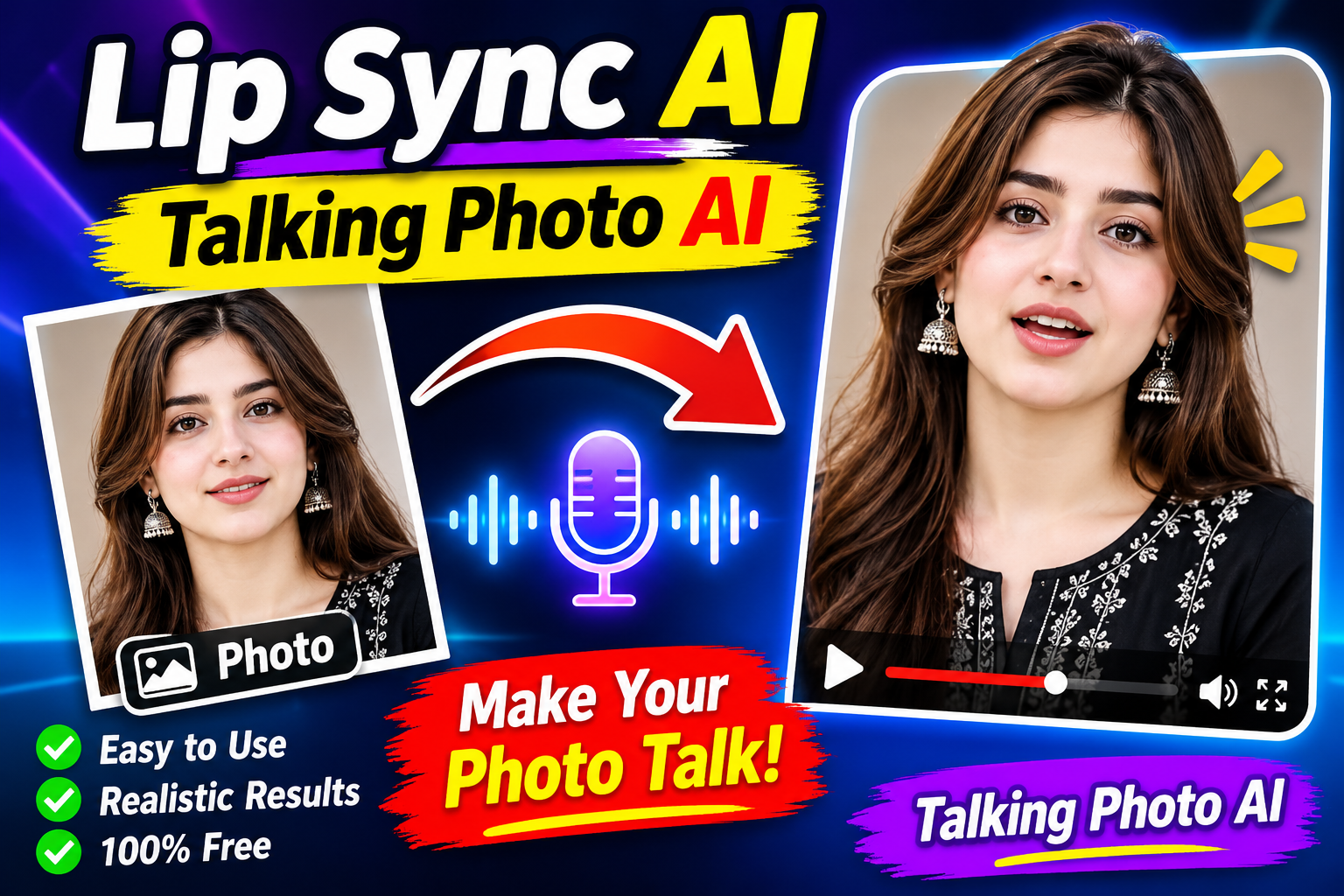
Talking photo AI takes a still photograph and transforms it into an animated speaking image. Instead of remaining completely motionless, the photograph can display mouth movements and other subtle facial expressions that make it appear more lifelike.
The process generally begins with uploading a suitable portrait. Users then provide a voice recording or enter text that can be converted into speech. The AI processes the selected input and generates an animated video in which the photographed subject appears to deliver the message.
One major advantage of this technology is its accessibility. People do not necessarily need cameras, microphones, lighting equipment, or professional video production experience. A clear photograph and an appropriate audio source may be enough to begin creating content.
For businesses, this can be an interesting way to develop virtual presenters, while individual creators can experiment with storytelling and personalized digital messages.
How These Two Technologies Work Together
Although lip sync AI and talking photo AI have slightly different functions, they complement each other. Talking photo technology brings a static image to life, while lip synchronization helps ensure that its mouth movements correspond with the spoken words.
A typical creation process involves several stages:
- Choose a photograph: Select a clear portrait with a visible face. Front-facing images generally produce better results.
- Prepare the script: Write a short and natural message that matches the purpose of the video.
- Add audio: Upload a voice recording or use a supported text-to-speech feature.
- Generate animation: Let the AI analyze the audio and create corresponding facial movements.
- Review the result: Check synchronization, pronunciation, facial expressions, and overall video quality.
- Export the video: Download the finished content in a suitable format for your intended platform.
This workflow makes video production more convenient and allows creators to experiment with different voices, languages, and messages.
Practical Uses for Content Creators
AI-powered facial animation has applications across several industries. Its flexibility makes it useful for people with different creative and professional goals.
Social Media Content
Social media creators need fresh material to maintain audience interest. Animated portraits can help them produce short videos for platforms such as Instagram, TikTok, and YouTube. A single photograph can become the starting point for multiple creative presentations.
Marketing and Advertising
Businesses can use AI-generated presenters to explain products, introduce services, and communicate important announcements. This approach can reduce the need for repeated filming sessions and make it easier to update promotional messages.
Online Education
Teachers and course creators can use animated presenters to make educational content more engaging. A digital character can introduce lessons, explain concepts, or deliver short instructions. When combined with multiple language options, this technology can also help educational organizations reach wider audiences.
Personalized Communication
Talking photographs can be used for creative greetings, digital storytelling, and personalized presentations. However, creators should always obtain appropriate permission before animating photographs of other people, particularly when generating speech that they never actually recorded.
Benefits of Using AI-Powered Animation
One of the biggest benefits is convenience. Producing a traditional talking-head video requires recording equipment, preparation, and editing. AI-powered tools can simplify several of these steps.
Another advantage is creative flexibility. Users can test different scripts, voices, and presentation styles without starting an entirely new recording session every time.
Cost efficiency is also important. Small businesses and independent creators may not have the budget to hire professional presenters or video production teams. AI tools provide an alternative for producing certain types of digital content.
Furthermore, these technologies can support multilingual communication. A business can prepare different audio versions of a presentation and synchronize them with the same visual material, making content localization easier.
However, results depend on the quality of the original photograph, audio clarity, and the capabilities of the selected platform. Some animations may still look artificial, especially when the image contains unusual angles or complicated facial details.
Tips for Creating More Realistic Videos
Getting good results requires more than simply uploading an image. A few practical considerations can significantly improve the final output.
First, choose a high-resolution photograph with good lighting. Blurry images and heavily covered faces may make facial animation less accurate.
Second, use clear audio. Background noise, unclear pronunciation, and inconsistent volume can negatively affect synchronization. Recording in a quiet environment can make the generated result more professional.
Third, keep scripts conversational. Short sentences and natural pauses generally make voice-based presentations easier to follow.
It is also important to preview the generated video before publishing it. Check whether the mouth movements match the audio and whether the final animation looks appropriate for your audience.
Finally, use photographs and voice recordings responsibly. Obtain consent when working with identifiable individuals and avoid creating misleading videos that could damage someone’s reputation.
Choosing the Right AI Video Creation Tool
Before selecting a platform, consider the features that matter most to your project. Some tools focus on realistic facial animation, while others provide additional options such as voice generation, image enhancement, templates, and video editing.
Beginners may prefer an easy interface with straightforward uploading and exporting options. Professional marketers might need higher-resolution exports, different voice styles, and support for multiple languages.
Pricing is another important consideration. Free plans can be useful for testing basic features, but they may include watermarks, limited credits, or restrictions on video length. Reviewing these conditions before starting a project can prevent unexpected limitations.
Privacy should also be considered. Read the platform’s data policies to understand how uploaded photographs and audio recordings are processed and stored.
The Future of AI-Powered Digital Storytelling
Artificial intelligence is changing how people create and share visual information. As facial animation and voice synchronization continue to improve, digital presentations may become more accessible, flexible, and realistic.
The combination of lip sync AI and talking photo AI demonstrates how a simple photograph can become an interactive storytelling element. From educational explanations to business promotions and social media entertainment, these technologies offer creators new ways to communicate ideas.
Nevertheless, human creativity remains essential. AI can simplify production, but choosing the right message, creating meaningful stories, and understanding an audience still require thoughtful planning.
Conclusion
AI-powered animation is making digital video production easier for individuals and businesses. Lip synchronization helps match spoken words with facial movements, while talking photo technology transforms ordinary portraits into animated presentations. Together, they provide a practical way to create engaging visual content without relying on traditional recording methods.
By choosing suitable images, preparing clear audio, and using responsible creation practices, users can explore these technologies to develop informative, entertaining, and professional videos. As AI tools continue to advance, their role in digital storytelling is likely to become even more significant.