









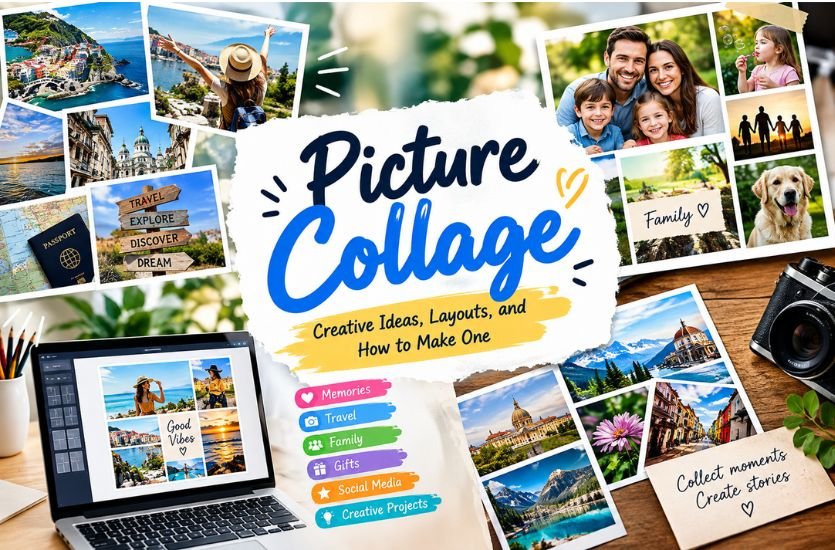
A Picture Collage is a creative way to combine several photographs or images into a single visual composition. Instead of displaying every picture separately, a collage brings related images together through grids, creative layouts, borders, overlapping designs, or different sizes. Picture collages are widely used for personal memories, social media posts, gifts, family events, travel collections, school projects, and digital artwork.
With modern photo-editing tools and online collage makers, creating a Picture Collage has become much easier. Users can select their favorite images, choose a suitable layout, adjust the size and position of each photograph, and create a finished design without advanced graphic-design knowledge. The right combination of images and layout can turn an ordinary collection of photographs into a visually meaningful story.
Quick Answer
A Picture Collage can sometimes look crowded, blurry, uneven, or poorly aligned when too many images are used or the photos have different sizes and quality. To create a better collage, select clear and relevant pictures, use a suitable layout, maintain consistent spacing, crop images carefully, and choose the final size according to where the collage will be shared or printed. If an important part of a photo is cut off, repositioning or changing the collage layout can usually solve the problem.
What Is a Picture Collage?
A Picture Collage is a visual arrangement that combines two or more pictures into a single composition. The images can be organized in equal sections or arranged in different sizes depending on the purpose of the design. Some collages follow a simple rectangular grid, while others use overlapping photographs, decorative frames, unusual shapes, or artistic positioning.
The main idea behind a collage is to bring multiple visual elements together while maintaining a clear overall appearance. For example, a collection of vacation photographs can be combined into one travel collage, while several family photographs can be arranged into a design that highlights different moments from a special occasion.
Digital Picture Collages are especially popular because they can be edited repeatedly. Pictures can be moved, cropped, resized, replaced, or rearranged before the final design is exported. This flexibility makes digital collages useful for both casual users and professional creators.
Why Are Picture Collages Popular?
Picture collages provide a simple way to present several related images without creating separate designs for every photograph. A single collage can tell a story, summarize an event, or show different aspects of a particular subject.
For personal use, a collage can preserve memories from birthdays, weddings, vacations, graduations, family gatherings, or other important occasions. Instead of keeping dozens of photographs separate, users can select their most meaningful images and combine them into one visual piece.
Picture Collages are also popular on social media because they allow users to share multiple moments in one post. A well-designed collage can make a collection of photographs more organized and visually appealing while keeping the main theme easy to understand.
Popular Picture Collage Layouts
The layout plays an important role in the appearance of a Picture Collage. A simple grid is one of the most recognizable formats because it provides a structured arrangement. Each photograph receives a defined space, creating a balanced and organized design.
A mosaic layout offers more flexibility by allowing photographs to have different dimensions. One image can be larger while several smaller photographs surround it. This approach is useful when certain pictures are more important than others.
A layered collage uses overlapping photographs to create a more dynamic appearance. Images can be positioned at different angles or partially placed over one another. This style can create a scrapbook-inspired or artistic effect.
A vertical or horizontal strip can also be used when photographs need to be displayed in sequence. This type of arrangement can work well for timelines, travel experiences, progress photographs, and storytelling projects.
How to Choose Pictures for a Collage
Choosing the right images is one of the most important stages of creating a successful Picture Collage. The photographs should have some connection with one another, whether they come from the same event, represent the same person, or share a similar visual theme.
Image quality should also be considered. High-resolution photographs generally produce better results, particularly when the collage will be printed. Blurry or heavily compressed photographs may become more noticeable when several images are placed together.
It is also useful to consider variety. If every photograph shows almost exactly the same scene, the collage may appear repetitive. Combining wide shots, close-ups, portraits, details, and different perspectives can make the finished composition more interesting.
How to Make a Picture Collage
Creating a Picture Collage usually begins with selecting the photographs. Once the images have been chosen, the next step is deciding where the collage will be used. A design intended for a social media post may require a different shape from one intended for printing or use as a desktop background.
After choosing the desired dimensions, the photographs can be placed into a suitable layout. Each image can then be cropped and repositioned so that important subjects remain visible. Spacing between photographs can be adjusted to create a clean appearance.
Additional elements such as backgrounds, borders, text, shapes, or decorative details can be added when appropriate. However, these elements should support the photographs rather than make the design unnecessarily crowded.
Before exporting the final Picture Collage, it is useful to review the entire composition. Check whether any photograph looks too small, whether important details have been cropped, and whether the spacing appears consistent.
Picture Collage for Social Media
Social media is one of the most common uses for digital Picture Collages. A collage can combine several photographs from an event into one post, allowing viewers to see multiple moments without scrolling through a long series of individual images.
Different social platforms may use different image dimensions, so the collage should be created with its final destination in mind. Square designs can provide a balanced appearance, while vertical layouts can make better use of screen space on some mobile platforms.
The visual hierarchy is also important. If one photograph represents the main moment, it can be given more space than supporting images. This helps viewers understand which part of the collage deserves the most attention.
Picture Collage for Special Events
Special events provide many opportunities for creative collages. Birthday collages can combine portraits, decorations, celebrations, and memorable moments. Wedding collages can bring together photographs of the couple, guests, ceremony, and reception.
Graduation collages can show different stages of an academic journey, while anniversary designs can combine older and newer photographs to represent a relationship over time.
The most effective event collages usually follow a clear theme. Consistent spacing, similar image treatment, and a suitable background can help separate the design from a simple collection of unrelated photographs.
Travel Picture Collage
Travel photographs are particularly suitable for collage designs because a single trip can produce many different types of images. A travel Picture Collage can include landscapes, landmarks, food, people, architecture, and smaller details from the journey.
A chronological arrangement can tell the story of a trip from beginning to end. Another option is to use one large landscape photograph as the main image and surround it with smaller photographs showing memorable details.
Location names or short captions can also be included when they provide useful context. However, excessive text can distract from the photographs, so the design should remain visually focused.
Picture Collage for Family Memories
Family photographs often carry emotional and historical value, making them ideal for collage projects. A family Picture Collage can combine photographs from different generations, celebrations, holidays, or everyday moments.
Older photographs can be placed alongside newer images to show how people, places, or family traditions have changed over time. A carefully designed collage can therefore become more than a collection of pictures; it can serve as a visual record of important memories.
When working with older photographs, improving image quality before creating the collage can help the final design look more consistent.
Creative Picture Collage Ideas
A Picture Collage does not always need to follow a traditional grid. Creative designs can use circles, irregular shapes, overlapping photographs, decorative frames, or different image sizes.
A year-in-review collage can combine memorable moments from different months. A before-and-after collage can place two stages of a project side by side. A themed collage can focus on a particular color, activity, destination, person, or interest.
Another creative approach is to build a visual story. Instead of arranging images randomly, the photographs can be placed in an order that guides the viewer from one moment to another. This approach works especially well for celebrations, travel experiences, personal projects, and progress-based content.
Picture Collage With Text
Text can add context to a collage when used carefully. Names, dates, locations, short messages, and event titles are common examples of text that can complement photographs.
Typography should match the overall style of the design. A simple font can work well for a modern collage, while a decorative style may suit a more artistic or personal project.
Too much text can compete with the photographs and make the collage difficult to understand. The strongest designs generally use text as a supporting element rather than making it the main focus.
Digital Picture Collage vs. Traditional Collage
Traditional collages are usually created by physically arranging photographs, paper, drawings, fabric, or other materials on a surface. This approach provides a handmade appearance and allows creators to experiment with physical textures and materials.
Digital Picture Collages are created using software, websites, or mobile applications. They offer greater flexibility because photographs can be moved, resized, cropped, and replaced without rebuilding the entire composition.
Both approaches have their own characteristics. Traditional collages can provide a distinctive handmade feel, while digital collages are convenient when the final design needs to be edited, shared online, or reproduced multiple times.
Choosing the Right Picture Collage Size
The correct size depends on how the finished collage will be used. A social media design may require a particular aspect ratio, while a printed poster or photo frame may require completely different dimensions.
It is generally better to decide the final destination before arranging the photographs. This helps prevent unnecessary cropping and ensures that the important parts of each image remain visible.
For printing, resolution becomes particularly important. A design that looks sharp on a phone or computer screen may not produce the same result when printed at a larger physical size.
Common Mistakes to Avoid
One common mistake is using too many photographs without considering how they work together. Adding more images does not automatically make a collage better. When photographs become too small, individual details may be difficult to recognize.
Another issue is inconsistent spacing. Uneven gaps can make a collage appear unfinished, particularly when the design is based on a structured grid.
Poor cropping can also reduce the quality of the final result. Important faces, objects, or landmarks should not be accidentally cut off simply to fit a particular layout.
Overusing decorative elements can create another problem. Backgrounds, stickers, effects, and text should support the photographs rather than overwhelm them.
Picture Collage for Gifts and Decoration
A Picture Collage can be transformed into a personalized gift for birthdays, anniversaries, graduations, weddings, or family occasions. Printed collages can be placed inside frames or used as decorative wall pieces.
Digital versions can also be shared with friends and family through messaging platforms, email, or social media. Because the content can be personalized, a collage can carry more meaning than a generic decorative image.
The Role of Modern Collage Makers
Modern collage makers have simplified the process of combining photographs. Many tools provide ready-made layouts that allow users to upload images and adjust them within predefined spaces.
Templates can be useful for beginners because they provide a starting structure. More experienced users may prefer custom layouts that provide greater control over spacing, positioning, typography, and visual hierarchy.
The most important feature is not the number of templates available but how effectively the tool allows users to create a clean and purposeful final design.
Final Thoughts on Picture Collage
A Picture Collage is a flexible visual format that turns multiple photographs into one organized composition. From family memories and travel experiences to social media posts, gifts, school projects, and creative artwork, collages can be adapted to many different purposes.
The best results come from selecting relevant photographs, choosing an appropriate layout, maintaining consistent spacing, and keeping the overall design focused. Whether created manually or with a modern digital collage maker, a well-planned Picture Collage can transform separate images into a single visual story.
Frequently Asked Questions
What is a Picture Collage?
A Picture Collage is a single visual composition made by combining multiple photographs or images into one design.
How many pictures should be used in a collage?
There is no fixed number. A small collage may work well with a few images, while larger designs can contain many photographs. The important factor is keeping the images recognizable and the composition balanced.
Can I make a Picture Collage on a phone?
Yes. Many mobile photo-editing and collage applications allow users to select photographs, choose layouts, adjust images, and save the completed design directly on a phone.
What makes a Picture Collage look professional?
A clear theme, good-quality photographs, consistent spacing, suitable cropping, balanced composition, and limited decorative elements can help create a polished result.
Can a Picture Collage be printed?
Yes. Digital collages can be exported and printed as posters, framed artwork, greeting cards, photo gifts, and other physical formats. The design should have appropriate resolution for the intended print size.
Is a Picture Collage the same as a photo collage?
In most everyday digital contexts, the terms are used interchangeably. Both generally describe multiple photographs or images combined into one visual composition.