

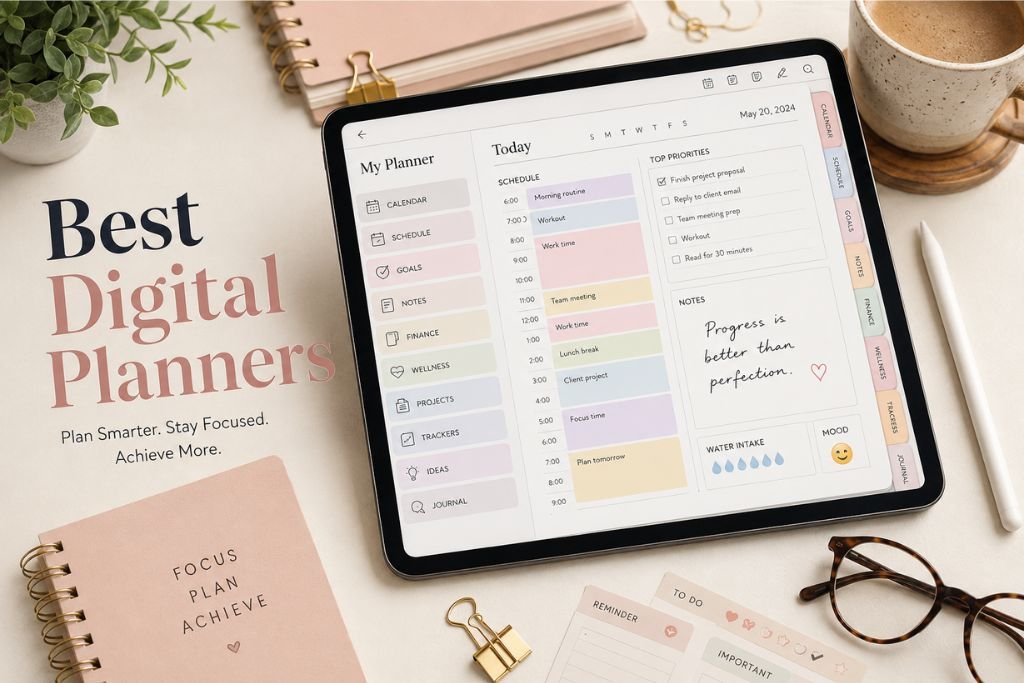
A good planner should do more than tell you what day it is. It should help turn scattered thoughts into organized plans, big ambitions into manageable steps, and busy schedules into something you can actually understand.
That is exactly why digital planning has become so popular. Instead of carrying a traditional notebook everywhere, you can keep an entire planning system on an iPad or tablet, write naturally with a stylus, jump between pages with a tap, decorate your layouts, track goals, manage finances, and even connect certain planning functions with your calendar and reminders.
The Best Digital Planners are no longer simply electronic versions of paper diaries. The strongest options combine the familiarity of handwriting with features that paper cannot provide. Hyperlinked navigation, reusable templates, digital stickers, customizable layouts, calendar integrations, habit tracking, wellness pages, goal-setting tools, and financial sections can transform a simple PDF into a complete personal organization system.
Choosing the right planner, however, is not as simple as picking the most attractive cover. Different people need different systems. A student may want a straightforward weekly planner, while a content creator may need project planning, monthly calendars, notes, and flexible layouts. Someone focused on personal development may prioritize goals and habits, while a professional may care more about schedules, reminders, and calendar integrations.
This guide explores the features that make a digital planner genuinely useful and looks at the leading types of planners available for people who want to organize 2026 more intentionally.
What Is a Digital Planner?
A digital planner is an electronic planning system designed to be used on a tablet, computer, or compatible mobile device. Many popular digital planners are interactive PDF files containing hyperlinks that allow users to move between yearly, monthly, weekly, and daily pages.
The experience is designed to feel similar to writing in a traditional planner. With an Apple Pencil, stylus, or compatible digital pen, users can handwrite appointments, tasks, notes, goals, and ideas directly onto the pages.
The major difference is flexibility. A physical planner has a fixed number of pages and a fixed structure. A digital planner can often be customized with stickers, templates, copied pages, inserts, colors, and additional layouts. Some planners also provide direct shortcuts to calendars and reminders.
Good digital planning therefore sits somewhere between traditional handwriting and modern productivity technology. You still get the visual and tactile experience of writing things down, but you gain navigation and customization features that would be impossible with ordinary paper.
Why Digital Planners Are Becoming So Popular
The appeal of digital planning comes from convenience, customization, and visual organization.
A single tablet can contain yearly plans, monthly calendars, daily schedules, notes, financial trackers, wellness pages, goal-setting worksheets, and creative planning sections. There is no need to carry multiple notebooks or search through drawers for old planners.
Another major advantage is navigation. A well-designed planner can contain thousands of hyperlinks. Instead of flipping through dozens of pages to find a particular date, you can tap a month, week, or day and move directly to the information you need.
Digital planners also make it easier to create a planning system that feels personal. Some people prefer minimal pages with plenty of white space. Others enjoy colorful stickers, decorative covers, icons, and creative layouts. The best products allow users to decide how much structure or creativity they want.
What Makes the Best Digital Planners Different?
Not every digital planner deserves to be considered one of the best. A beautiful cover and a long list of pages do not automatically create a useful planning system.
The strongest planners combine practical organization with intuitive navigation. Their pages should be easy to understand, hyperlinks should work logically, and important sections should be accessible without unnecessary searching.
Customization is another major factor. A planner becomes more useful when users can choose layouts, add stickers, move sections, change covers, and adapt pages to their own routines.
Compatibility matters too. Before purchasing a planner, users should know which applications and devices it supports. GoodNotes, Notability, Noteful, Noteshelf, and other note-taking platforms can handle different types of digital planning files, so compatibility should always be checked before making a purchase.
Cyberry 2026: A Highly Customizable All-in-One Planner
Cyberry 2026 stands out as an example of how far digital planners have evolved. Rather than functioning as a simple collection of calendar pages, it combines planning, customization, creative tools, tracking pages, templates, and shortcuts into one system.
One of its strongest characteristics is navigation. The planner uses thousands of hyperlinks to connect different sections, allowing users to move between yearly, monthly, weekly, and daily pages quickly.
Cyberry 2026 is also offered with portrait and landscape options, giving users more flexibility depending on their device and preferred planning style. An access portal allows users to customize several aspects of the planner before downloading it.
Users can choose whether to include hourly scheduling on selected pages, decide whether their week begins on Monday or Sunday, and configure calendar integrations. The customization approach is useful for people who dislike being locked into one planning format.
Advanced Calendar and Reminder Shortcuts
One of the most interesting features described for Cyberry 2026 is its integration with Apple Shortcuts.
The planner includes icons that can be used to create reminders and calendar events. A bell icon can be used to create an Apple Reminder, while a calendar icon can help create an event.
The daily pages take this further. When timed schedules are enabled, users can tap a particular hour to create an event for that date and time through a supported calendar system.
The important distinction is that these events do not necessarily become visible handwriting inside the planner. The system maintains the creative freedom of a handwritten planner while allowing the user to create actual calendar events and reminders through shortcuts.
For someone who wants the feeling of handwriting without completely separating their planner from their digital calendar, this can be a valuable combination.
Goal Setting and Quarterly Planning
Long-term planning is another major component of Cyberry 2026.
The planner includes yearly and quarterly planning sections designed to help users move from broad intentions toward specific action steps. Quarterly breakdown pages provide additional space for priorities, goals, tasks, and upcoming events.
This approach matters because yearly goals can easily become forgotten once everyday responsibilities take over. Breaking a year into quarters creates smaller planning periods that can feel easier to manage.
Monthly pages then connect the larger goals with everyday scheduling. Users can move from a broad overview toward specific weeks and days through the planner’s navigation system.
Note Dividers Return
Cyberry’s 2026 version also brings back integrated note dividers after previous versions experimented with removing them.
The updated note system includes indexing and navigation features designed to make larger collections of notes easier to manage. Users can customize divider labels and move between sections without losing access to their calendar pages.
This is particularly useful for people who want their planner to serve as more than a calendar. Notes can be used for project ideas, meeting information, research, journaling, lists, or creative planning.
Template Library Adds Flexibility
The template library is another significant part of the Cyberry 2026 approach.
Instead of forcing users to use one daily or weekly layout throughout the year, the planner includes alternative templates. Users can experiment with different daily and weekly designs and use blank versions of certain pages to create custom inserts.
This flexibility addresses one of the biggest weaknesses of traditional planners: a layout that works perfectly during one period of life may become inconvenient later.
A student may need more study space during exam periods. A business owner may want additional project sections. A content creator may need more room for publishing schedules. Template-based planning allows the system to evolve with the user.
Finance and Wellness Planning
The best digital planners increasingly extend beyond scheduling.
Cyberry 2026 brings back dedicated finance and wellness pages with redesigned layouts. The finance section allows users to organize income, debts, savings, accounts, balances, and monthly financial information.
Flexible categories are particularly useful because everyone’s financial system is different. One person may want to separate household expenses, subscriptions, and savings, while another may prefer business income, personal spending, and financial goals.
The wellness section takes a similarly flexible approach. Rather than presenting wellness as one universal formula, it provides space for tracking habits, mood, sleep, activity, and routines.
This reflects a broader trend in digital planning: planners are becoming personal dashboards rather than simple calendars.
Daily and Weekly Planning
Daily and weekly pages remain the heart of almost every successful digital planner.
A strong daily page should help users understand what needs attention without making the page feel overwhelming. Cyberry’s daily design includes areas for schedules, priorities, to-do items, reminders for the following day, and a mini monthly calendar for navigation.
Weekly planning provides a wider view. Instead of focusing on individual tasks, users can see upcoming commitments, priorities, and events together.
One particularly useful concept is the ability to maintain different weekly layouts. A detailed schedule may work well during a busy workweek, while a more open layout may be preferable during weekends or quieter periods.
Digital Stickers and Planner Customization
Digital stickers have become an important part of the planning experience, especially among users who enjoy visual organization.
Rather than being purely decorative, stickers can represent tasks, appointments, deadlines, habits, reminders, or categories. Labels and icons can make information easier to identify at a glance.
Cyberry 2026 includes coordinating stickers, labels, flags, checklist elements, icons, and other visual assets. The planner also provides different cover styles and color combinations.
This kind of customization may seem minor, but it can influence whether someone actually enjoys using their planner consistently. A system that feels personal is often easier to return to than a rigid interface that looks identical every day.
GoodNotes and Other Digital Planning Apps
The application used with a digital planner can be almost as important as the planner itself.
GoodNotes is one of the most popular choices for interactive PDF planning because it supports handwriting, annotations, stickers, and hyperlink-based navigation. Notability, Noteful, Noteshelf, and other applications can also be suitable depending on the planner’s compatibility requirements.
Users should check the specific file types and supported features before purchasing. A planner may work perfectly in one application while offering fewer capabilities in another.
This is particularly important for features such as drag-and-drop sections, digital sticker collections, hyperlinks, and reusable templates.
Best Digital Planners for Different Planning Styles
The phrase Best Digital Planners does not mean there is one perfect product for everybody.
Someone who wants an all-in-one system may prefer a planner such as Cyberry because of its combination of scheduling, notes, templates, finance, wellness, customization, and integrations.
A person who primarily wants structured goal setting may prefer a planner built around personal development and long-term objectives.
Creative users may prioritize aesthetic layouts, stickers, vision boards, custom covers, and flexible note pages.
Minimalist users may want the opposite. They may prefer a clean calendar with limited decoration and plenty of empty space.
Students can benefit from planners with academic scheduling, assignment tracking, study planning, and examination preparation sections. Professionals may care more about meetings, deadlines, appointments, projects, and calendar synchronization.
The best choice therefore depends on the user’s planning behavior rather than the number of pages included.
Digital Planner vs. Traditional Paper Planner
Paper planners still have one major advantage: simplicity.
There are no apps to open, files to import, hyperlinks to understand, or compatibility questions to consider. A notebook works with a pen and does not require charging.
Digital planners, however, offer much greater flexibility. Pages can be duplicated, navigation can be instant, stickers can be reused, and multiple years of planning can be stored on one device.
Digital planning also reduces physical clutter. Instead of keeping several notebooks for different areas of life, users can maintain one interconnected system.
The choice ultimately comes down to personal preference. Some people love the physical experience of paper, while others enjoy the combination of handwriting and technology offered by digital planners.
What to Look for Before Buying a Digital Planner
The first consideration should be compatibility. Check whether the planner works with your device and preferred application before purchasing.
Navigation should be another priority. Hyperlinks can make a planner dramatically easier to use, particularly when it contains hundreds or thousands of pages.
Layout flexibility is also important. A planner should provide enough structure to keep you organized without preventing you from adapting pages to your needs.
Users should also consider whether they need calendar integrations, reminder shortcuts, goal tracking, finance pages, wellness tracking, notes, stickers, templates, or community support.
A visually attractive planner can be appealing, but functionality should come first. The most beautiful planner is not necessarily the one you will actually use every day.
Are Digital Planners Worth It?
For people who already use tablets for work, education, creativity, or personal organization, digital planners can be extremely useful.
The strongest benefit is the combination of handwriting and digital convenience. You can write naturally with a stylus while still benefiting from hyperlinks, reusable templates, digital stickers, and device-based organization.
The value becomes even greater when a planner supports the features you genuinely need. Someone who only needs a basic monthly calendar may not require a large all-in-one system. Someone managing goals, projects, appointments, finances, wellness, and creative work may appreciate having all those sections connected.
The key is to avoid buying features simply because they sound impressive. A planner should simplify your life rather than become another complicated system that requires constant maintenance.
How to Build a Better Digital Planning Routine
A digital planner becomes useful when it becomes part of a routine.
Start with the larger picture by recording important yearly goals and major dates. Move into quarterly planning to determine what needs attention during the next few months.
Monthly planning can then organize appointments, events, projects, and deadlines. Weekly planning should narrow the focus further by identifying priorities and realistic tasks.
Daily planning is where execution happens. Instead of filling every available space with tasks, focus on what genuinely needs to be accomplished.
Reflection is equally important. Reviewing what worked, what failed, and what changed can help improve future planning decisions.
This approach turns the planner from a digital notebook into a feedback system. You plan, act, review, and adjust rather than simply recording appointments.
The Future of Digital Planning
Digital planners are moving toward a fascinating middle ground between traditional stationery and productivity software.
The appeal of handwriting is not disappearing. People still enjoy writing goals, decorating pages, drawing ideas, and visually seeing their lives organized. At the same time, users increasingly expect technology to make repetitive tasks easier.
Calendar integrations, reminders, customizable templates, digital stickers, shortcuts, and interactive navigation demonstrate how these two experiences can coexist.
The next generation of planners will likely continue emphasizing personalization. Instead of forcing every user into the same layout, digital planning systems can allow people to build an environment around their individual routines.
That is one reason planners such as Cyberry 2026 are interesting. Its design philosophy demonstrates that digital planning does not have to choose between aesthetics and functionality. A planner can provide structured scheduling while still leaving room for creativity.
Final Thoughts on the Best Digital Planners
The Best Digital Planners are not necessarily the ones with the largest number of pages or the most impressive list of features. They are the planners that make organizing your life feel easier, clearer, and more enjoyable.
A strong digital planner should provide intuitive navigation, useful layouts, reliable compatibility, meaningful customization, and enough flexibility to adapt as your needs change.
Cyberry 2026 represents one of the more comprehensive approaches, combining hyperlinked navigation, daily and weekly planning, quarterly goals, note dividers, templates, finance and wellness pages, digital stickers, customizable covers, calendar shortcuts, and a supporting community.
Other planners may be better suited to users who want minimalism, goal-focused planning, academic organization, creative journaling, or direct calendar functionality.
The right choice is ultimately personal. Before choosing a planner, think about how you actually organize your days, what repeatedly gets forgotten, and which parts of your current planning system feel frustrating.
A digital planner should solve those problems.
When the right layout meets the right workflow, planning stops feeling like another chore and becomes a practical space for turning ideas, responsibilities, goals, and dreams into something you can see and act on.