









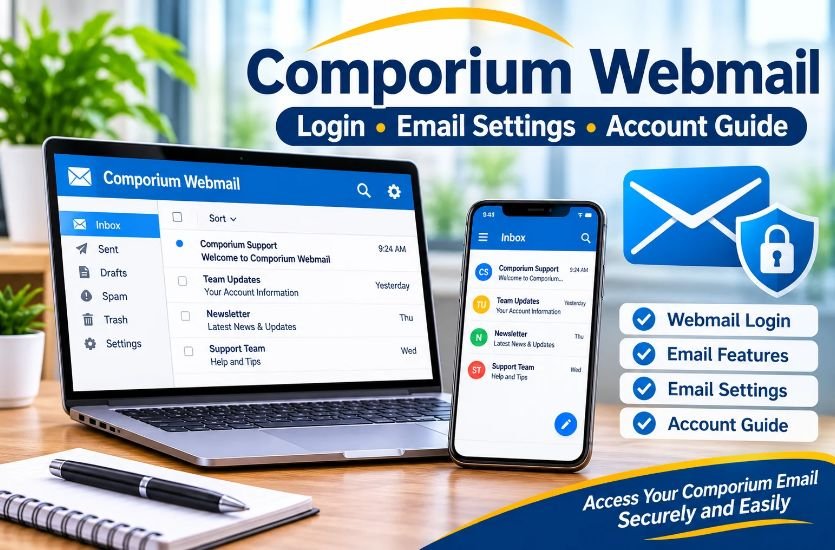
Comporium Webmail is an online email service that allows existing Comporium.net account holders to access and manage their email through a web browser. It provides a convenient way to read incoming messages, send emails, organize conversations, and manage account settings without installing a separate desktop email application. Users often search for Comporium Webmail when they need help accessing their inbox, recovering a password, configuring email on a mobile device, or resolving login problems. Understanding how the service works can make everyday email management easier and help existing account holders maintain access to their mailboxes.
Quick Information Table
| Detail | Information |
|---|---|
| Service Name | Comporium Webmail |
| Provider | Comporium Communications |
| Email Domain | @comporium.net |
| Service Type | Web-Based Email Service |
| Main Purpose | Sending and Receiving Emails |
| Official Login Portal | webmail.comporium.net |
| Incoming IMAP Server | mail.comporium.net |
| IMAP Port | 993 |
| POP3 Port | 995 |
| SMTP Server | smtp.comporium.net |
| Mailbox Storage | 5 GB |
| Maximum Attachment Size | 20 MB |
| Account Availability | Existing Eligible Accounts |
| Inactivity Policy | Archived After 75 Days |
| Customer Support | Comporium Support |
What Is Comporium Webmail?
Comporium Webmail is a browser-based email service associated with Comporium Communications. It is designed for customers who already have a Comporium.net email address and want to manage their messages online. Instead of downloading a dedicated desktop email program, users can access their mailbox through a supported internet browser.
The service provides essential email management capabilities, including reading messages, composing new emails, replying to conversations, forwarding information, and organizing incoming communication. It is particularly useful for people who prefer accessing their email from different computers without configuring a separate application on each device.
Comporium is a telecommunications provider based in Rock Hill, South Carolina. Its services include internet connectivity, telephone, television, and other communication solutions. Comporium Webmail is one part of its customer communication services.
An important detail is that Comporium discontinued issuing new Comporium.net email accounts and reactivating inactive accounts on February 1, 2022. Therefore, the service is primarily intended for eligible existing account holders rather than new users looking to register for an email address.
How to Access Comporium Webmail Login
Accessing Comporium Webmail is relatively straightforward for users who already have an active account. The web-based platform allows customers to sign in using their existing email credentials without manually entering incoming or outgoing server information.
Existing users can access their inbox through the official Comporium Webmail login page using their complete email address and password.
To access the mailbox, users need an internet-connected device, a compatible browser, their complete Comporium email address, and the associated password.
The login process begins by opening the Comporium Webmail sign-in page in a browser. Users should enter their complete email address, including the @comporium.net domain, in the username field. After entering the correct password, they can select the sign-in option to access their inbox.
Using the complete email address is important because entering only the username portion may cause authentication problems. Users should also make sure that their keyboard settings, particularly Caps Lock, are not affecting password entry.
If the login page does not load correctly, checking the internet connection or trying another updated browser may help resolve the issue.
Main Features of Comporium Webmail
Comporium Webmail offers several essential functions that help existing customers manage their everyday email communication. Although its primary purpose is straightforward email access, these features can be useful for personal correspondence and general communication.
Email Sending and Receiving
The main function of Comporium Webmail is allowing users to send and receive electronic messages. Account holders can compose emails, enter recipients, add subject lines, and communicate through their existing email addresses.
Incoming messages appear in the mailbox, where users can open and read them. They can also respond to conversations or forward relevant information to other recipients.
Inbox Organization
Managing a busy inbox becomes easier when messages are organized properly. Comporium Webmail provides email management functions that help users handle incoming communication and keep important conversations accessible.
Users can organize messages into folders and review their inbox to locate relevant information. This can be useful for separating personal correspondence from other types of communication.
Spam and Junk Management
Unwanted emails can create unnecessary clutter and sometimes expose users to suspicious messages. Spam-management functionality helps account holders identify unwanted communication and keep their inbox more organized.
Users can mark suspicious or unwanted messages as spam through the available email controls. Reviewing the Junk or Spam folder occasionally is also useful because legitimate messages can sometimes be filtered incorrectly.
Browser-Based Accessibility
One useful aspect of Comporium Webmail is that users do not need to install a separate desktop email application to access their mailbox through the web interface.
This makes it possible to check messages using compatible computers and browsers. It can also help users access their email when they are away from their primary device, provided they have a secure internet connection.
Email Search and Management
Finding older conversations can become difficult when an inbox contains many messages. Email search and organization tools help users locate previously received information and manage their communication more efficiently.
These functions can be especially useful when users need to find an earlier conversation, retrieve important information, or review messages from a particular sender.
Comporium Email Server Settings
Comporium email accounts can also be configured in compatible email applications. This allows users to manage their existing mailbox through programs such as Apple Mail, Outlook, and other applications that support standard email protocols.
The service supports IMAP and POP3 for incoming messages, while SMTP is used for outgoing email communication. These protocols have different purposes, so selecting the appropriate configuration depends on how a person wants to access their messages.
Comporium IMAP Settings
IMAP is generally suitable for people who access their email from multiple devices. It synchronizes mailbox information with the email server, helping users maintain consistent message organization across supported applications.
| Setting | Configuration |
|---|---|
| Incoming Server | mail.comporium.net |
| Port | 993 |
| Security | SSL |
| Username | Complete Email Address |
| Password | Existing Email Password |
Comporium POP3 Settings
POP3 provides another method of receiving email. Unlike IMAP, which is designed for synchronized access, POP3 generally downloads messages to a particular device. Its behavior regarding server copies depends on the settings selected in the email application.
| Setting | Configuration |
|---|---|
| Incoming Server | mail.comporium.net |
| Port | 995 |
| Security | SSL |
| Username | Complete Email Address |
| Password | Existing Email Password |
Comporium SMTP Settings
SMTP is responsible for sending outgoing email messages. Users configuring their Comporium accounts in third-party applications must enter the correct outgoing server information and enable authentication.
| Setting | Configuration |
|---|---|
| Outgoing Server | smtp.comporium.net |
| Desktop Port | 465 |
| Mobile Port | 465 or 587 |
| Security | SSL |
| Authentication | Required |
| Username | Complete Email Address |
Using the correct server details is important for reliable email communication. Incorrect ports, security settings, or login credentials may prevent an application from sending or receiving messages.
Users can review the official Comporium email server settings to configure their accounts correctly in compatible email applications.
Comporium Webmail Storage and Email Limits
Email storage and message limits are important considerations for people who regularly exchange documents, photographs, and other attachments. Comporium publishes specific limits for its Comporium.net email system.
The maximum mailbox storage capacity is 5 GB, while the maximum attachment size is 20 MB. These limits help define how much information users can keep in their mailboxes and how large individual email attachments can be.
| Email Limit | Maximum Capacity |
|---|---|
| Mailbox Storage | 5 GB |
| Attachment Size | 20 MB |
| Recipients Per Message | 200 |
| Sending Rate | 200 Messages Per 30 Minutes |
Users should monitor their mailbox storage and remove unnecessary messages when space becomes limited. Large attachments and old conversations can contribute to storage usage over time.
Understanding these restrictions can also help users avoid sending errors when attempting to share large files or communicate with many recipients.
How to Change or Reset a Comporium Webmail Password
A secure password is essential for protecting personal email communication. If users want to update their existing Comporium email password, they can manage it through the My Comporium account services.
The password-management process is separate from ordinary inbox access. Users generally need to sign in to their My Comporium account and navigate to the email management section.
After opening the account services page, they can select the Email section and choose the Manage option associated with their email address. The available password fields allow them to enter and confirm a new password before saving the changes.
Comporium publishes specific password requirements. A new password must contain between 12 and 127 characters, including at least one uppercase letter, one lowercase letter, and one number. It must also be different from the account username.
For additional guidance, users can follow the official Comporium email password instructions.
After changing the password, users who access their mailbox through mobile or desktop applications should update the saved credentials in those applications. Otherwise, the applications may continue attempting to connect with the previous password.
How to Use Comporium Webmail on Mobile Devices
Many people prefer checking their email through smartphones and tablets because these devices make communication more convenient throughout the day. Existing Comporium email accounts can be configured in compatible mobile email applications.
Android and Apple devices support email applications that can connect through standard IMAP, POP3, and SMTP protocols.
For people who regularly use multiple devices, IMAP is generally a practical option because it keeps supported mailbox activity synchronized with the server. This can help users maintain access to the same conversations when switching between a smartphone, tablet, and computer.
Mobile configuration requires the correct incoming and outgoing server information, security settings, and account credentials. The full Comporium email address should be entered as the username.
Users should also make sure that the outgoing server requires authentication. If the settings are incorrect, the application may display connection errors or fail to send messages.
Common Comporium Webmail Login Problems and Their Solutions
Like other online email services, Comporium Webmail users may occasionally experience login difficulties, synchronization errors, or problems sending and receiving messages. These issues can result from incorrect credentials, internet connectivity, application configuration, or account restrictions.
Incorrect Username or Password
Incorrect login information is a common reason for authentication failures. Users should verify that they are entering their complete Comporium email address and the correct password.
Checking for unnecessary spaces, typing mistakes, and Caps Lock settings may also help identify the problem. If the password is no longer correct, users can follow the available password-management process.
Webmail Page Not Loading
Sometimes the login page may fail to load because of temporary browser problems or an unstable internet connection. Refreshing the page, clearing outdated browser data, or trying another updated browser may help.
Users should also verify that their device has a working internet connection before attempting to sign in again.
Emails Not Sending
Outgoing email problems may occur when SMTP settings are incorrect or authentication is disabled. Users configuring their accounts in third-party applications should check the outgoing server address, port, security configuration, and saved credentials.
They should also consider the published message and recipient limits when sending large numbers of emails.
Emails Not Appearing in the Inbox
Missing messages may sometimes be located in another folder rather than the main inbox. Checking Spam, Junk, and other folders can help users find messages that have been filtered automatically.
For third-party applications, synchronization settings should also be reviewed to ensure that the mailbox is updating correctly.
Mobile Email Synchronization Problems
Mobile applications may stop synchronizing when saved passwords become outdated or server configurations change. Users should review their account settings and confirm that the correct IMAP or POP3 details are being used.
If the problem continues, accessing the mailbox through a browser can help determine whether the issue is related to the email application or the account itself.
Comporium Email Account Inactivity Policy
One of the most important things existing Comporium email users should understand is the company’s inactivity policy.
Comporium states that email accounts are archived after 75 days of inactivity. The company also stopped issuing new Comporium.net email accounts and reactivating inactive accounts effective February 1, 2022.
This policy means that people who already have an eligible Comporium email address should pay attention to account activity. Regular access can help users avoid unexpected interruptions associated with inactivity.
It is also sensible to keep important personal information and essential correspondence backed up. Depending entirely on one email account for storing important messages can create difficulties if access is lost.
People looking to obtain a new Comporium.net email address should understand that the provider no longer issues these accounts. Existing active account holders should refer to Comporium’s current account policies for accurate information about their eligibility and email access.
Is Comporium Webmail Safe to Use?
Email security is an important consideration because mailboxes may contain personal conversations, account notifications, documents, and other private information.
Following good practices for protecting personal accounts can help users reduce security risks and safeguard their private information.
Users should follow basic online security practices when accessing Comporium Webmail. Signing in through the correct website, creating a strong password, and avoiding suspicious email attachments can help reduce common security risks.
It is also important to avoid entering account credentials on unfamiliar websites or responding to messages requesting passwords or sensitive information.
When accessing email through a shared computer, users should avoid saving their login credentials and should sign out after completing their session. Keeping browsers and mobile applications updated can also help improve security and compatibility.
Users should remember that suspicious messages may imitate familiar companies or services. Checking the sender and carefully reviewing unexpected requests can help prevent phishing attempts.
Following basic online safety practices can help users protect their information when accessing websites and online services.
Comporium Customer Support and Assistance
Users who experience persistent email problems may need assistance from Comporium’s customer support team. The provider offers support for account-related questions, configuration difficulties, and other service concerns.
Customers can use the company’s available support channels to seek help with login problems, password management, and email settings. Having the relevant account information available can make it easier to explain the issue and receive appropriate assistance.
Comporium’s published customer support telephone number is 1-888-403-2667. Users can also explore the company’s customer assistance services for additional guidance.
Before contacting support, it may be helpful to identify the exact problem, such as an incorrect password, a mailbox that will not load, or an application that cannot connect to the mail server. This information can help narrow down the cause and make troubleshooting more efficient.
Benefits and Limitations of Comporium Webmail
Comporium Webmail provides a practical way for eligible existing customers to manage their email communication. Its browser-based access eliminates the need to install a separate desktop program, while its compatibility with standard email protocols allows users to configure their accounts in supported applications.
However, the service also has limitations. New Comporium.net email accounts are no longer issued, and inactive accounts are not reactivated under the company’s published policy. The mailbox also has defined storage and attachment limits that users should consider when managing large amounts of email.
Understanding these benefits and restrictions helps account holders make better decisions about their email usage and avoid problems related to account availability or configuration.
Frequently Asked Questions
1. What Is Comporium Webmail?
Comporium Webmail is a browser-based email service that allows existing Comporium.net account holders to send, receive, read, and organize their messages online.
2. How Do I Log In to Comporium Webmail?
Users can open the Comporium Webmail login page and enter their complete Comporium.net email address and password to access their mailbox.
3. Can I Create a New Comporium Email Account?
No. Comporium stopped issuing new Comporium.net email accounts on February 1, 2022. The company also stopped reactivating inactive accounts.
4. What Is the Comporium IMAP Server Address?
The incoming IMAP server is mail.comporium.net, and the published port is 993 with SSL enabled.
5. What Is the Comporium SMTP Server Address?
The outgoing SMTP server is smtp.comporium.net. The published desktop port is 465, while mobile configurations may use port 587.
6. How Much Storage Does Comporium Webmail Provide?
Comporium publishes a maximum mailbox storage capacity of 5 GB for its Comporium.net email system.
7. Can I Access Comporium Webmail on My Smartphone?
Yes. Existing Comporium email accounts can be accessed through compatible mobile browsers and email applications on supported Android and Apple devices.
8. What Happens If I Do Not Use My Comporium Email Account?
Comporium states that email accounts are archived after 75 days of inactivity. The company also does not reactivate inactive accounts under its published policy.
9. How Can I Change My Comporium Email Password?
Users can manage their email password through the Email section of their My Comporium account services. They need to select the relevant account, enter a new password, confirm it, and save the changes.
10. Why Is My Comporium Webmail Not Working?
Login and email problems can result from incorrect credentials, internet connectivity issues, outdated application settings, or account restrictions. Checking the login information and server configuration may help identify the problem.
Conclusion
Comporium Webmail remains a useful email management service for eligible existing Comporium.net account holders. Its browser-based interface provides convenient access to everyday email communication, while support for IMAP, POP3, and SMTP allows users to configure their accounts in compatible applications.
Understanding the login process, password requirements, server settings, storage limits, and inactivity policy can help users manage their mailboxes more effectively. Although Comporium no longer issues new email accounts, existing eligible customers can continue using the service according to the provider’s account policies.
Maintaining secure login credentials, checking email settings, and staying informed about account requirements are practical ways to avoid common problems and maintain reliable access to Comporium email.