








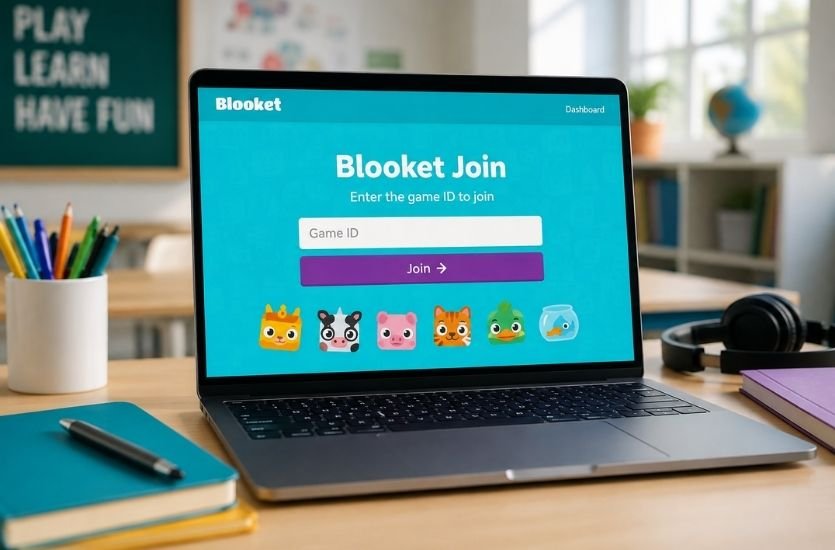
Imagine your teacher suddenly says, “Everyone, take out your phone. We’re playing Blooket.”
You open your browser. You search for Blooket. Then you see a box asking for a Game ID.
And suddenly you are wondering: Where do I get the code? Do I need an account? What exactly am I supposed to click?
Don’t worry. You are not stuck.
Blooket Join is simply the process of entering a live Blooket game that has been created and hosted by a teacher or another host. The official Blooket Play page provides a Game ID field for joining a game.
Once you understand how the process works, joining takes only a moment.
So, let’s walk through it together.
What Is Blooket Join?
Blooket Join refers to the process students use to enter a Blooket game that someone else is hosting.
Blooket is a game-based learning platform designed to turn quizzes and question sets into interactive games. Instead of simply answering questions on a traditional quiz page, students participate through different game experiences.
When a teacher hosts a live Blooket game, students receive information they can use to enter it. The most familiar option is a Game ID, which is entered on the Blooket Play page.
Think of the Game ID as the door code for the particular game.
Your teacher creates the game.
Blooket generates the joining information.
You enter that information.
And then you are inside the game.
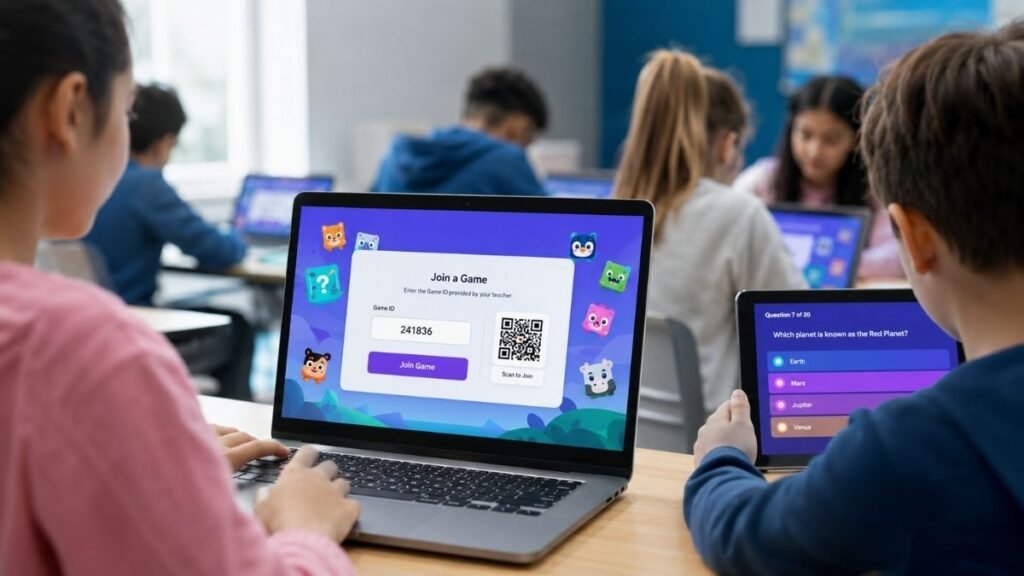
How to Join Blooket
If your teacher has given you a Blooket Game ID, the basic process is straightforward.
Step 1: Open the Blooket Join Page
Go to the official Blooket Play website.
Open the official Blooket Play page
You will see the Join a Game area with a field for the Game ID.
Step 2: Enter the Blooket Game ID
Now take the Game ID provided by your teacher and enter it into the Game ID field.
Make sure you type the numbers correctly.
A single incorrect digit can prevent you from entering the intended game. In fact, the official Blooket Play page can display an error when a game cannot be found for an entered ID.
Step 3: Continue Into the Game
After entering a valid Game ID, follow the instructions displayed on the screen.
Depending on how the host configured the session, you may be asked to enter a nickname or complete other joining steps.
Step 4: Wait for the Host
Once you have joined, don’t worry if the game does not begin immediately.
The teacher or host controls the live session. If other students are still joining, you may need to wait in the lobby until the host starts the game.
And then—it’s game time.
Where Do You Enter a Blooket Code?
This is one of the most common questions surrounding Blooket join code searches.
You enter the Game ID through the official Blooket Play page.
The page currently displays a Game ID entry field and a Join a Game interface.
So if someone tells you, “Go to Blooket and enter the code,” they are referring to this joining process.
What Is a Blooket Game ID?
A Blooket Game ID identifies a game that has been made available for players to join.
It is important to understand something here: a Blooket Game ID is not a permanent universal code.
You cannot expect one random Blooket code found online to work forever.
The game has to exist and be available when you attempt to join it. The official Play page, for example, can return a message saying that a game with a particular ID cannot be found.
That’s why the best place to get a Blooket game code is from the teacher or host who created the session.
What Is a Blooket Join Code?
People often use several different expressions when searching for the same thing:
- Blooket join code
- Blooket game code
- Blooket code
- Blooket Game ID
- Blooket join game
- Blooket play code
In most live-game situations, these searches are referring to the information required to enter a particular Blooket session.
However, Game ID is the terminology displayed on the official Blooket Play interface.
So if you’re looking for a “Blooket code,” don’t get confused by the wording.
Ask your teacher for the Game ID.
Can You Join Blooket Without an Account?
For students joining a live classroom game, an account is not necessarily the first thing you need to worry about.
The important information is the joining method provided by the host.
If your teacher gives you a Game ID, you can start from the Blooket Play page and enter it there.
This is one reason Blooket is convenient for classroom activities: the student experience can begin directly from the game-joining page rather than requiring every student to spend the first few minutes setting up an account.
If Blooket asks you for information or presents an option you don’t recognize, follow the instructions displayed on the current Blooket page or those provided by your teacher.
How to Join a Blooket Game on a Phone
You don’t necessarily need a computer to participate in a Blooket game.
If your teacher is using Blooket in class and you are using a smartphone, open a web browser and visit the Blooket Play page.
Then enter the Game ID supplied by your teacher.
The important thing isn’t whether you’re using a phone, tablet, or computer. What matters is that you have access to the joining page and the correct game information.
How to Join Blooket on a Chromebook
Using a Chromebook?
The process is essentially the same.
Open Chrome, visit the Blooket Play page, and enter the Game ID.
If the teacher has provided a direct join link instead, use that link.
If the code does not work, don’t immediately assume Blooket is broken. First check whether you copied the correct Game ID and whether the teacher is still hosting the game.
How to Join Blooket With a QR Code
A teacher may also provide students with a QR code instead of asking everyone to type the Game ID manually.
The advantage is obvious.
You scan the QR code, follow the resulting Blooket link, and continue with the joining instructions.
This can be especially convenient in a classroom because dozens of students don’t have to type a code individually.
If your teacher provides both a QR code and a Game ID, either method may be used according to the instructions for that particular session.
What Is a Blooket Join Link?
A Blooket Join Link is another way of directing players into a Blooket game.
Instead of manually typing a Game ID, a teacher can share a link that takes students toward the appropriate game.
This can reduce typing mistakes and make classroom joining faster.
If your teacher sends you a Blooket link, you generally don’t need to search Google for another “working Blooket code.” Simply use the link provided by the host and follow the instructions on screen.
Can You Join a Blooket Game Without a Code?
Sometimes the answer depends on how the teacher has shared the game.
A live game may be joined through a Game ID, while another activity may be accessed through a link or other joining method.
The important distinction is that there isn’t one permanent Blooket code that unlocks all games.
The joining information belongs to the particular activity.
So if you are sitting in class waiting for a code, the fastest solution is usually to ask the teacher or host for the current joining information.
Why Isn’t My Blooket Code Working?
You’ve entered the code.
You’ve checked it twice.
Still nothing.
Before blaming your internet connection, check these possibilities.
The Game ID Was Entered Incorrectly
One wrong number can send you to the wrong place—or nowhere at all.
Carefully compare the code on your screen with the code provided by your teacher.
The Game Is No Longer Available
A Game ID is associated with a particular game session. If that session is no longer available, the code may not work.
The official Blooket Play page can explicitly report that it cannot find a game with a particular ID.
The Teacher Hasn’t Started the Session
Your teacher may still be preparing the activity.
If you’re waiting in class, give the host a moment to finish setting things up.
You’re Using an Old Code
This happens surprisingly often.
Someone sends you a screenshot of a Blooket code from an earlier game, and you assume it is still active.
Instead, ask for the current Game ID.
Your Browser or Connection Is Having Trouble
If the code is definitely correct, refresh the page and try again.
You can also check whether other websites are loading normally.
If classmates are experiencing the same issue, the problem may not be specific to your device.
Can You Join a Blooket Game After It Has Started?
Whether late joining is possible depends on the settings chosen by the host.
Some classroom games may allow students to enter after the session begins, while others may be configured differently.
So if you arrive late, don’t assume that the Game ID is automatically invalid.
Ask the teacher whether late joining is enabled for that game.
Blooket Join vs. Blooket Homework
This distinction is worth understanding because the words Blooket Join can lead people toward different parts of the platform.
A live Blooket game is typically an interactive session being hosted by a teacher.
Blooket Homework, on the other hand, is designed for students to complete an assigned activity.
The official Blooket Play environment has a dedicated Homework area where students can select from available game modes for an assignment.
So don’t confuse a live-game Game ID with a homework activity.
If your teacher says, “This is homework,” follow the homework link or instructions they provided rather than assuming you should enter a live-game code.
What Happens After You Join Blooket?
This is the part where Blooket becomes more than just another online quiz.
You aren’t simply staring at a list of questions.
Depending on the selected game mode, your answers can influence the gameplay.
You may be competing, building, collecting, managing resources, or trying to reach a particular objective.
That’s the basic idea behind Blooket’s game-based approach: the question-answering component is combined with an interactive game environment.
And suddenly, the question you were avoiding five minutes ago becomes something you actually want to answer.
What Is a Blook?
You may also hear students talking about their Blooks.
A Blook is one of the collectible characters used within Blooket.
When you’re joining a game, the interface may give you an opportunity to select a Blook depending on the particular experience.
This adds a visual and collectible element to the platform and helps make the activity feel more like a game than a conventional classroom quiz.
Is Blooket Free to Join?
For a student trying to join a teacher’s game, the first concern is usually not purchasing anything.
The Blooket Play page is designed around joining a game through its Game ID interface.
If your teacher has created a session and provided the required joining information, follow the instructions for that particular game.
If you’re asked to log in or encounter an account-related message, use the options presented by Blooket rather than relying on an outdated tutorial.
Is There a Universal Blooket Join Code?
No.
This is one of the biggest misconceptions surrounding Blooket codes.
There isn’t a magic code that lets you enter every Blooket game.
A Game ID identifies a particular game or session. That’s why random lists of “Blooket codes” scattered around the internet should be treated carefully.
If you’re trying to join today’s classroom game, the code your teacher gives you is far more useful than an old code posted on a random website.
Blooket Join: Quick Troubleshooting Checklist
If you’re standing in front of your class thinking, Why isn’t this working?, run through this quick checklist:
1. Check the Game ID.
Make sure every digit is correct.
2. Use the official Blooket Play page.
Start from the official joining interface rather than an unfamiliar website.
3. Ask for a new code if necessary.
Your teacher can confirm whether the Game ID is still correct.
4. Check your connection.
Make sure your browser can load other websites.
5. Refresh the page.
A simple refresh can sometimes solve a temporary loading issue.
6. Check whether the game is still active.
An unavailable game cannot be joined simply by repeatedly entering the same ID.
7. Ask the host.
If everyone else is inside and you aren’t, the teacher can usually determine whether the issue is your code, device, or the game settings.
Frequently Asked Questions About Blooket Join
What is Blooket Join?
Blooket Join is the process of entering a Blooket game hosted by a teacher or another host. Students can begin through the official Blooket Play page and enter the Game ID provided for the session.
Where can I join a Blooket game?
You can use the official Blooket Play page to enter a Game ID and join a game.
What is the Blooket Game ID?
The Game ID is the joining information used to identify a particular Blooket game. You should get the current ID from the teacher or host.
Where do I enter a Blooket join code?
Enter it in the Game ID field on the official Blooket Play page.
Can I use an old Blooket code?
Not necessarily. A code associated with an earlier game may no longer lead to an available session.
Why does Blooket say it can’t find my game?
The Game ID may have been entered incorrectly, or the corresponding game may no longer be available. The official Play page displays a “couldn’t find a game” message when an ID cannot be matched to a game.
Can I play Blooket on my phone?
Yes, you can access the Blooket Play website through a mobile browser and follow the joining instructions.
Do I need to search for Blooket codes online?
Usually, no. If you’re joining a teacher’s game, the teacher or host should provide the current Game ID or joining link.
Is Blooket the same as Blooket Homework?
No. Blooket has both live-game experiences and homework activities, and the joining process can differ. The platform currently provides a dedicated Play Homework experience.
What should I do if my Blooket join code doesn’t work?
Check the code carefully, confirm that the game is still available, refresh the page, and ask the teacher to verify the current Game ID.
Final Thoughts
The next time someone says “Go to Blooket and join the game,” you won’t have to stare at your screen wondering what happens next.
You know what to look for.
Open Blooket.
Go to the official Play page.
Enter the Game ID supplied by your teacher.
Follow the instructions.
And get ready to play.
The important thing to remember is that Blooket Join isn’t about finding a secret universal code. It’s about entering the particular game your teacher or host has created. The official Blooket interface is built specifically around this Game ID-based joining process.
So if you’re searching for Blooket join, Blooket join code, Blooket game code, Blooket Game ID, Blooket play, Blooket join game, or how to join Blooket, you’re ultimately looking for the same simple destination: the right game, the right joining information, and a few seconds between you and the start of the game.
And once the game begins?
That’s when the boring quiz disappears—and the competition starts.