








Imagine standing in front of a room full of people. Your presentation is ready, your slides look perfect, and you know exactly what you want to say. Then you reach for the clicker—and it doesn’t respond.
That tiny moment can break your rhythm.
A good presentation remote should disappear into the background. You should be able to advance slides, highlight important information, move around the room, and stay focused on your audience without constantly thinking about the device in your hand.
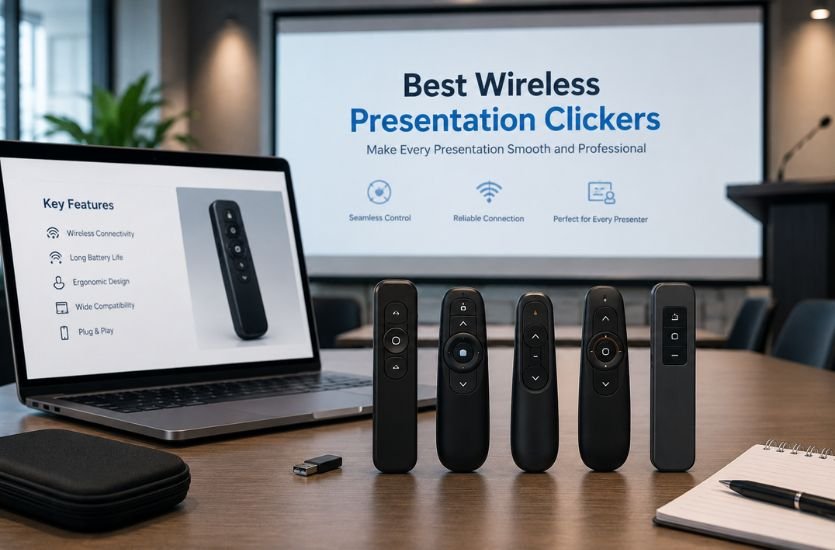
That is exactly why choosing among the best wireless presentation clickers matters.
Whether you are a teacher presenting in a classroom, a student delivering a project, a business professional speaking in a boardroom, or a presenter addressing a large audience, the right wireless presenter can make your presentation feel considerably more natural.
This guide looks at the best wireless presentation clickers, the features that separate a reliable presenter from a frustrating one, and which type of presentation remote makes the most sense for different situations.
Also Read: Uitly.com Offers Powerful Tools to Shorten URLs & Track Links
Best Wireless Presentation Clickers at a Glance
| Presentation Clicker | Best For | Key Feature |
|---|---|---|
| Logitech R500s | Best overall | Bluetooth + USB receiver |
| Logitech Spotlight | Best premium option | Digital highlighting and magnification |
| Kensington Expert Wireless Presenter | Bright rooms | Green laser and 50m range |
| Logitech R800 | Large presentations | Long-range presentation control |
| Logitech R400 | Simple presentations | Straightforward slide navigation |
| Budget wireless presenters | Occasional users | Basic slide-control functionality |
Current 2026 buying guides frequently place the Logitech R500s among the leading wireless presenter choices, while premium comparisons also highlight the Logitech Spotlight for its advanced digital pointing capabilities.
What Is a Wireless Presentation Clicker?
A wireless presentation clicker is a handheld remote that lets you control presentation slides without staying beside your computer.
Instead of walking back to a laptop every time you need to move to the next slide, you can use buttons on the presenter to navigate through your presentation from a distance.
Depending on the model, a wireless presentation remote may offer more than basic slide advancement. Features can include a laser pointer, digital pointer, cursor control, volume adjustment, screen controls, presentation timers, and other customizable functions.
Most presentation remotes communicate with a computer through either a USB wireless receiver, Bluetooth, or both.
That flexibility is one reason modern wireless presenters are useful for PowerPoint, Keynote, Google Slides, Prezi, PDF presentations, classrooms, conferences, meetings, and virtual presentations.
1. Logitech R500s — Best Wireless Presentation Clicker Overall
If you want a presentation clicker that focuses on doing the fundamentals well, the Logitech R500s is one of the strongest choices to consider.
Its biggest advantage is flexibility. The R500s supports both Logitech’s 2.4GHz wireless technology and Bluetooth Low Energy, allowing you to connect through its USB receiver or Bluetooth depending on your setup. Logitech rates its wireless range at up to 20 meters (65 feet).
The design is intentionally simple. Its three-button layout makes it easy to move forward and backward through slides without having to stare down at the remote.
It also includes a red laser pointer, which is useful when presenting from a projector or other traditional display. Logitech lists support for PowerPoint, Keynote, PDF, Google Slides, and Prezi, along with compatibility across Windows, macOS, ChromeOS, Linux, iOS, and Android depending on the connection method.
The R500s uses one replaceable AAA battery, and Logitech specifies approximately one year of battery life under its stated conditions.
Best for: Teachers, students, business professionals, and anyone who wants a dependable wireless presenter without unnecessary complexity.
Why choose the Logitech R500s?
Its combination of USB and Bluetooth connectivity, 20-meter range, simple controls, red laser pointer, broad compatibility, and compact design makes it an excellent all-around presentation clicker.
It is especially attractive if you frequently move between different computers because having two connection methods gives you additional flexibility.
2. Logitech Spotlight — Best Premium Presentation Remote
Sometimes you need more than a button that says “next slide.”
That’s where the Logitech Spotlight takes a different approach.
Instead of relying exclusively on a conventional laser pointer, Spotlight provides digital pointing features designed for modern screens and presentations. Its software supports three pointing modes: highlighting, magnification, and digital laser pointing. Logitech says these modes can work across projectors, TV screens, video conferencing, and multi-screen setups.
That makes Spotlight particularly interesting for people who regularly give hybrid or virtual presentations.
It supports both Bluetooth Low Energy and a 2.4GHz wireless connection, while its stated wireless range is up to 30 meters (100 feet). It also has a rechargeable lithium-polymer battery.
The remote works with presentation software including PowerPoint, Keynote, Acrobat, Google Slides, and Prezi, while Logitech also lists compatibility with video-conferencing platforms such as Zoom and Microsoft Teams.
Another useful feature is customizable controls. With compatible Logitech software, users can configure functions, gestures, highlighting behavior, volume adjustment, and presentation timing alerts.
Best for: Professionals, executives, trainers, consultants, conference speakers, and people who frequently present online or in hybrid environments.
Why choose Logitech Spotlight?
If your presentations involve detailed charts, demonstrations, shared screens, or multiple displays, digital highlighting can be more useful than a traditional laser beam.
It is more expensive than a basic presentation clicker, but its advanced features make it a compelling premium option.
3. Kensington Expert Wireless Presenter — Best for Bright Rooms
A presentation clicker can have excellent buttons and impressive range, but if the pointer is difficult for your audience to see, it loses part of its usefulness.
The Kensington Expert Wireless Presenter takes a different approach by using a green laser.
Kensington’s specifications list a 50-meter (150-foot) range, 2.4GHz wireless connectivity, cursor control, presentation controls, and a green laser pointer. It also provides storage for the wireless receiver.
That long operating range makes it particularly interesting for larger rooms.
Best for: Lecture halls, conference rooms, training sessions, and presenters who need a visible green laser and greater movement around the room.
The model is designed for Windows and macOS, with presentation and cursor controls built into the device.
4. Logitech R800 — Best for Large Venues
When your presentation takes place in a large conference room or lecture hall, wireless range becomes more important.
The Logitech R800 is designed around that type of use, offering long-range wireless presentation control and a green laser pointer.
It is worth considering when your priority is being able to move away from the computer while maintaining presentation control.
Best for: Large meeting rooms, classrooms, conferences, lectures, and presenters who need greater operating distance.
If you regularly present to large audiences, compare the claimed operating range of your chosen presenter with the actual room layout. Walls, interference, the computer’s position, and the presentation environment can affect real-world performance.
5. Logitech R400 — Best Simple Presentation Clicker
Not everyone needs digital highlighting, gesture controls, advanced software, or multiple connectivity options.
Sometimes you simply want to press a button and advance the slide.
The Logitech R400 has long been associated with straightforward presentation control and is a good example of the traditional wireless presenter category.
Its appeal is simplicity. For someone who gives occasional presentations and primarily needs forward/backward navigation and basic pointing functionality, a simple presentation remote can be preferable to a feature-heavy model.
Best for: Students, occasional presenters, classrooms, and basic PowerPoint presentations.
How to Choose the Best Wireless Presentation Clickers
Choosing the best wireless presentation clicker is not simply about finding the device with the longest range or the highest price.
The right choice depends on how and where you present.
Wireless Range
Wireless range determines how far you can move away from your computer while maintaining control.
For a small classroom, you may never need an exceptionally long range. For a conference hall, however, additional range can give you considerably more freedom.
For comparison, Logitech lists the R500s at up to 20 meters, while Spotlight is rated at up to 30 meters and Kensington’s Expert Presenter is listed at up to 50 meters.
Remember that advertised ranges are maximum specifications rather than guarantees of identical performance in every environment.
Bluetooth vs. USB Receiver
This is one of the most important decisions when buying a wireless presentation remote.
A USB receiver can be extremely convenient because you generally plug it into the computer and begin presenting. Bluetooth can reduce the need for a dedicated receiver and may be particularly useful with compatible laptops and mobile devices.
A presenter supporting both Bluetooth and USB gives you the greatest flexibility.
The Logitech R500s and Spotlight both provide dual connectivity options.
Laser Pointer vs. Digital Pointer
Traditional laser pointers remain useful for physical projection screens.
However, modern presentations increasingly involve LCD displays, TVs, screen sharing, and video conferencing. A conventional laser beam isn’t necessarily the best way to draw attention to something on a shared computer screen.
That’s where a digital pointer can have an advantage.
Logitech Spotlight, for example, offers digital highlighting, magnification, and digital laser functionality designed for modern presentation environments.
Red vs. Green Laser
If you want a physical laser pointer, color is worth considering.
Red lasers are extremely common. Green lasers can provide better visibility in some bright environments, which is why certain professional presentation remotes use them.
The Kensington Expert Wireless Presenter, for example, uses a green laser and offers a listed range of 50 meters.
Battery Life
A dead battery is one of the easiest ways to turn a confident presentation into an awkward one.
Before buying a clicker, check whether it uses replaceable batteries or a rechargeable battery.
The R500s uses a replaceable AAA battery, while Logitech Spotlight uses a rechargeable lithium-polymer battery. Logitech’s support documentation lists Spotlight’s battery life at approximately three months in its specifications, while another support page says it can last up to 40 days on a full charge depending on the stated configuration and usage.
The exact battery performance you experience will depend on usage.
Compatibility
A presentation remote is only useful if it works with your presentation setup.
Check compatibility with:
- Windows
- macOS
- ChromeOS
- Linux
- PowerPoint
- Keynote
- Google Slides
- Prezi
- PDF presentations
- Zoom
- Microsoft Teams
Compatibility varies by model and connection method, so always check the manufacturer’s current specifications before purchasing.
Best Presentation Clicker for PowerPoint
If PowerPoint is your primary presentation software, you don’t necessarily need the most expensive remote.
A reliable model with responsive forward and backward buttons, a comfortable grip, dependable wireless connectivity, and adequate range is usually enough.
The Logitech R500s is particularly well suited to this role because Logitech specifically lists PowerPoint among its supported presentation applications.
For professionals who want more advanced on-screen controls, Spotlight adds digital highlighting and other customization features.
Best Wireless Presentation Clicker for Teachers
Teachers often need to move around the classroom rather than stand next to a desk.
A good classroom presentation clicker should therefore have dependable wireless connectivity, simple controls, a comfortable grip, and enough range for the room.
The Logitech R500s is a strong choice for this situation because its 20-meter range provides substantial freedom of movement, while its simple three-button design keeps operation straightforward.
If you teach in a large lecture hall, a longer-range model such as the Kensington Expert may be more appropriate.
Best Presentation Remote for Business Meetings
Business presenters often work with conference-room displays, laptops, video calls, and shared screens.
For a conventional boardroom presentation, a simple wireless presenter may be all you need.
For hybrid meetings, however, advanced digital pointing becomes more useful. Logitech Spotlight is designed for in-person, virtual, and hybrid presentation environments and supports platforms including Zoom and Microsoft Teams.
Best Long-Range Presentation Clicker
If range is your top priority, look beyond the basic 10- or 20-meter class.
The Kensington Expert Wireless Presenter is officially specified with a 50-meter / 150-foot range, while Logitech lists Spotlight at 30 meters and R500s at 20 meters.
For large venues, this additional range can make it easier to walk across the stage or interact with the audience without losing slide control.
Are Wireless Presentation Clickers Worth It?
For anyone who presents regularly, a wireless presentation clicker is usually a small investment in convenience and confidence.
Think about what happens without one: you finish explaining a slide, walk back to the laptop, advance the presentation, then return to your audience.
That repeated movement interrupts your delivery.
With a wireless presenter, the transition becomes almost invisible. You can continue speaking while advancing slides at the appropriate moment.
The benefit isn’t simply technical. It is about maintaining presentation flow.
A presenter that feels natural allows you to concentrate on your message rather than your equipment.
Wireless Presentation Clickers vs. Using a Laptop
You can obviously control slides directly from a laptop, so why buy a separate remote?
The biggest advantage is movement.
A laptop keeps your controls in one location. A wireless presentation clicker puts those controls in your hand.
This lets you face the audience, move around the room, gesture toward the screen, and advance slides without turning away from your audience.
For short presentations at a desk, a clicker may not be necessary. For lectures, speeches, sales presentations, training sessions, and conferences, the difference can be much more noticeable.
What Makes a Good Wireless Presentation Remote?
The best wireless presentation clickers generally share several characteristics.
They should be comfortable enough to hold for an extended presentation. Their buttons should be easy to identify by touch. The wireless connection should remain reliable throughout the room. Battery life should be predictable, and compatibility should match your computer and presentation software.
Beyond those fundamentals, features should match your presentation style.
A teacher may prioritize simplicity. A conference speaker may want maximum range. A corporate presenter may value digital highlighting. An occasional student presenter may prefer an affordable basic remote.
There is no reason to pay for advanced features you will never use.
Tips for Using a Presentation Clicker Successfully
Even the best wireless presentation remote cannot rescue a presentation if it hasn’t been tested.
Before the audience arrives, connect the clicker to the actual computer you plan to use.
Advance through several slides and test both forward and backward navigation.
If you’re using a laser pointer, test it against the actual screen or projector.
If you’re presenting through Zoom or Microsoft Teams, test the digital pointer and screen-sharing setup beforehand.
Also check the battery.
It sounds obvious, but a presentation is the worst possible time to discover that your remote has stopped working.
Finally, keep the receiver with the remote when possible. Some models provide storage for the receiver, which reduces the chance of leaving the tiny adapter behind. Kensington’s Expert Presenter, for example, includes wireless receiver storage.
Frequently Asked Questions About Wireless Presentation Clickers
What is the best wireless presentation clicker?
The best choice depends on your needs. The Logitech R500s is a strong all-around option because it combines Bluetooth and USB connectivity, a 20-meter range, a red laser, and broad presentation compatibility.
What is the best presentation remote for PowerPoint?
A simple presenter such as the Logitech R500s is well suited to PowerPoint. Users wanting advanced digital pointing can consider the Logitech Spotlight. Logitech lists both models as compatible with PowerPoint.
Do wireless presentation clickers work with Google Slides?
Many do. For example, Logitech lists Google Slides among the supported presentation applications for the R500s and Spotlight.
Are Bluetooth presentation clickers better than USB clickers?
Neither is automatically better. Bluetooth can be convenient because it avoids a separate receiver, while USB receivers can provide simple plug-and-play connectivity. A presenter supporting both gives you more flexibility.
How far can a wireless presentation clicker work?
Range varies by model. The Logitech R500s is rated for up to 20 meters, Spotlight for up to 30 meters, and Kensington’s Expert Wireless Presenter for up to 50 meters. Actual performance can vary depending on the environment.
Is a green laser better than a red laser?
A green laser can be easier to see in certain bright presentation environments. However, the best choice depends on your room, screen, and presentation style.
Do presentation clickers work with Mac?
Many modern presentation remotes support macOS. The R500s and Spotlight, for example, list macOS compatibility in their specifications.
Can a presentation clicker work with Zoom?
Some advanced presenters can interact with virtual presentation environments. Logitech specifically lists Spotlight compatibility with Zoom and Microsoft Teams.
Do wireless presentation remotes need software?
Not always. Basic slide-navigation functions can often work through the receiver without additional software. Advanced functions such as customization and digital highlighting may require manufacturer software.
Final Verdict: Which Wireless Presentation Clicker Should You Buy?
The best wireless presentation clickers are not necessarily the ones with the most buttons or the highest price.
If you want a balanced, dependable option for everyday presentations, the Logitech R500s stands out with its dual connectivity, 20-meter range, red laser, simple controls, and broad compatibility.
If you want a premium presenter for modern, virtual, or hybrid presentations, the Logitech Spotlight offers digital highlighting, magnification, customizable controls, and a longer wireless range.
If your priority is a highly visible laser and long operating distance, the Kensington Expert Wireless Presenter is worth considering.
The most important thing is to match the clicker to your room, computer, presentation software, and the way you actually present.
Because when the technology works properly, your audience shouldn’t notice the clicker at all.
They should notice you.
Ready to Make Your Next Presentation Smoother?
Ready to make your next presentation smoother? Explore the best wireless presentation clickers and choose the right remote for your classroom, meeting, or professional presentation.
Also Visit: Expand Magazine